Quick answer
Understand how background coding agents work, how Cursor and GitHub Copilot run remote tasks, and what teams need for setup, secrets, MCP tools, PR review, and rollout controls.
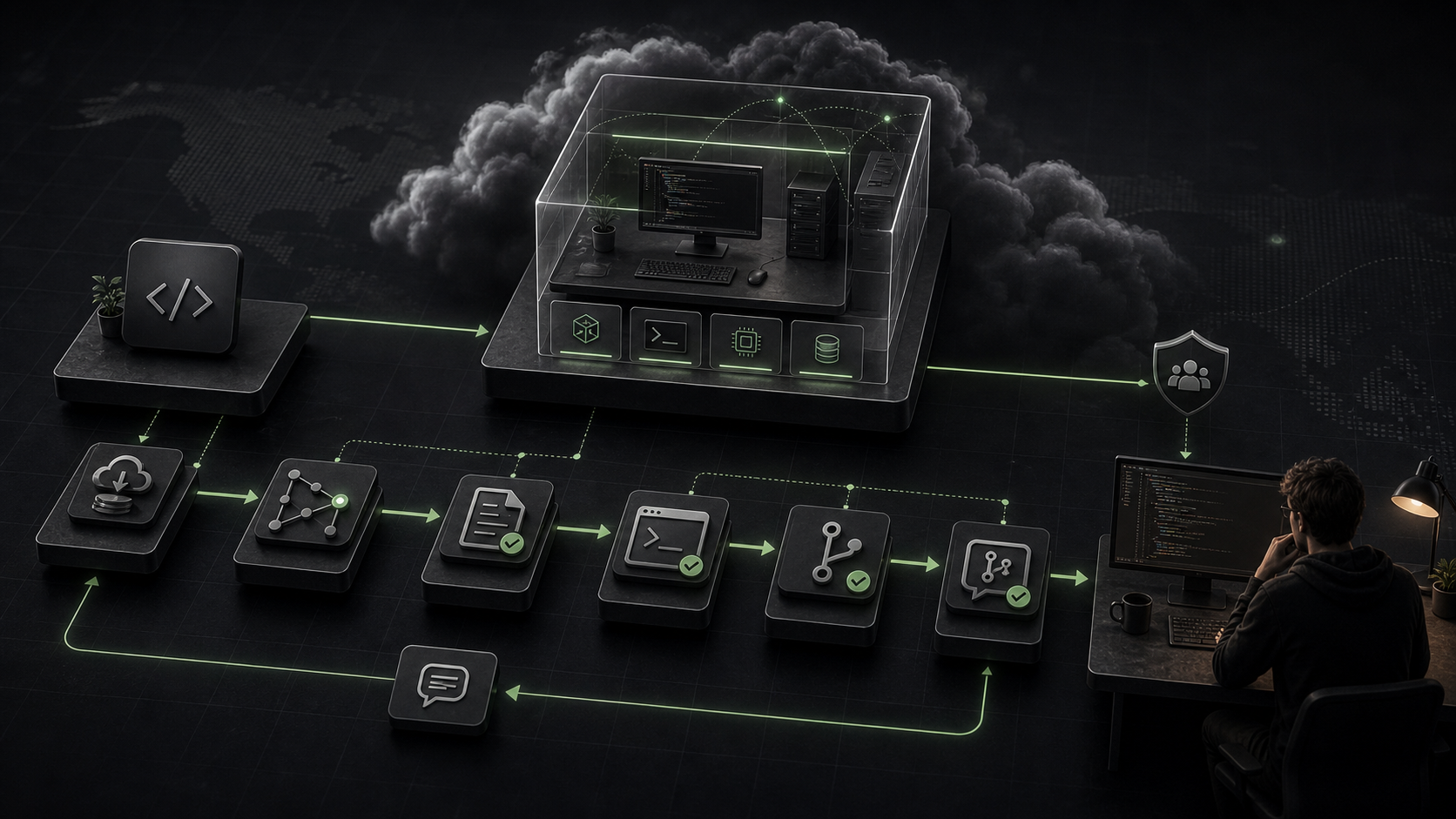
A background coding agent is an asynchronous agent that works away from your local editor in a remote development environment. It receives a task, gets repository access, prepares an environment, runs commands, changes files on a branch, and hands work back through a pull request or equivalent review surface. Treat it like a junior teammate with a clean machine, not like autocomplete.
The mental model: local agents are pair programmers at your keyboard. Background agents are remote contractors with repo access. They need setup docs, narrow permissions, safe secrets, tests, logs, and review gates.
Local agent vs background agent
The difference is not intelligence. It is operating context.
| Frage | Local coding agent | Background coding agent |
|---|
| Where does it run? | Your machine or editor session | Remote VM or cloud dev environment |
| What does it see first? | Your current working tree | A fresh clone or checked-out branch |
| How does it run commands? | Usually with local approval settings | Often autonomously inside the remote environment |
| How does it hand off work? | Local diff in your workspace | Branch, logs, summary, pull request |
| What breaks most often? | Local permissions and missing context | Environment setup, secrets, dependency installs, branch policy |
| Beste Verwendung | Interactive debugging and guided edits | Bounded tasks that can be reviewed after completion |
Local agents are strong when you want tight feedback. You can answer questions, inspect partial diffs, and stop the agent before it goes too far. Background agents are strong when the task is clear enough to run without constant supervision: dependency upgrades, small bug fixes, docs updates, test additions, codebase chores, or a scoped implementation from a well-written issue.
The tradeoff is autonomy. A background agent saves attention only if the repo is ready for it.
Cursor describes background agents as asynchronous remote agents that edit and run code in a remote environment. You can start them from the background agent sidebar or by using background agent mode in the UI, then view status, send follow-ups, or enter the machine.
The practical workflow looks like this:
- You give Cursor a task and choose the repository context.
- Cursor starts an isolated Ubuntu-based machine by default.
- The agent clones the GitHub repo and works on a separate branch.
- The environment runs configured install and startup commands.
- The agent edits files, runs terminal commands, and pushes changes for handoff.
- You review the result, take over if needed, or continue with follow-up instructions.
For repo setup, Cursor uses .cursor/environment.json. That file can define an install command and background terminals, such as a web server or watch process. The setup can be committed to the repo, which is usually the right choice for teams because it makes the agent environment reproducible.
Example:
{
  "install": "npm install",
  "terminals": [
    {
      "name": "Run app",
      "command": "npm run dev"
    }
  ]
}
Cursor also supports more advanced machine setup with snapshots and Dockerfiles. The important detail is that dependency installation should still live in the install script. Do not depend on a human manually preparing the remote machine before every task.
GitHub Copilot cloud agent is different from agent mode in an IDE. GitHub's docs describe it as an autonomous agent that works in a GitHub Actions-powered environment after being assigned a task through a GitHub issue or Copilot Chat prompt. It can research the repository, create a plan, make changes on a branch, and optionally open a pull request.
The workflow is GitHub-native:
- A task is delegated from an issue or chat.
- Copilot starts its own ephemeral development environment.
- It explores the codebase and runs commands.
- It commits changes to a branch.
- It opens or updates a pull request when appropriate.
- Reviewers inspect the PR, logs, tests, and final diff.
That PR surface matters. Background agents should not bypass review simply because the diff was created by a tool. The right standard is the same one used for human changes: does the PR explain the change, pass tests, preserve product behavior, and avoid broad unrelated edits?
What the remote environment needs
Background agents punish vague setup. If a new developer could not clone the repo and run the app from documented commands, a remote agent probably cannot either.
Prepare these pieces before rollout:
- Runtime version:
.nvmrc, .node-version, .python-version, mise.toml, asdf, or equivalent. - Package manager: npm, pnpm, yarn, uv, pip, Poetry, Bundler, Cargo, or Go modules.
- Install command: the one command that makes dependencies available.
- Start command: how to run the web app, API, worker, or watch process.
- Test command: the smallest reliable command that proves the task.
- Seed or fixture command: how to create local data without touching production.
- Environment variables: documented names, safe defaults, and a secret path.
- Build notes: native packages, browser dependencies, database services, queues, or Docker requirements.
For GitHub Copilot cloud agent, environment customization lives in .github/workflows/copilot-setup-steps.yml. That setup workflow can preinstall tools or dependencies, use larger or self-hosted runners, use Windows instead of default Ubuntu Linux, enable Git LFS, and configure other environment behavior. If the setup file fails, the agent may continue with a partially prepared environment, so keep it simple and observable.
Good background-agent tasks include their own verification instruction:
Implement the empty state on /tools/. Run npm test -- --run tools and npm run build.
If the dev server starts, capture a screenshot of the empty state at mobile width.
Open a PR with the commands run and any skipped checks.
That prompt gives the agent scope, route, commands, and handoff expectations.
Secrets and repo access
Background agents need more trust than local agents because they run away from your direct terminal supervision. Give them the narrowest access that still lets them do useful work.
For Cursor, background agents clone from GitHub and need read-write privileges for repos they should edit, plus dependent repos or submodules when required. Cursor's docs say secrets entered for the dev environment are stored encrypted at rest and provided in the background agent environment. That does not make broad secrets safe. It means teams should still decide which development-only credentials belong there.
For GitHub Copilot cloud agent, use Agents secrets and variables. GitHub's docs distinguish these from Actions, Codespaces, and Dependabot secrets. Agents secrets and variables are exposed to the agent as environment variables, while names prefixed with COPILOT_MCP_ are only available to MCP servers. Secret values are masked in Copilot cloud agent session logs.
Use this policy:
- No production database credentials for general coding tasks.
- No broad personal access tokens unless there is a documented reason.
- Separate development, staging, and production keys.
- Rotate any key that appears in a prompt, screenshot, log, commit, or PR comment.
- Use repository-level secrets for repo-specific tasks and organization-level secrets only when shared access is intentional.
- Protect setup files with CODEOWNERS or rulesets if changing them could expose more access.
Secrets are runtime inputs. They are not context, documentation, or prompt material.
MCP tools can make a background agent much more useful. They can give it access to GitHub data, browser automation, documentation search, internal APIs, or issue trackers. They also expand what the agent can do without asking a human.
GitHub's Copilot cloud agent has default MCP servers. The GitHub MCP server connects with a specially scoped token that has read-only access to the current repository by default. The default Playwright MCP server lets Copilot access web pages, interact with them, and take screenshots, but by default it is limited to web resources hosted inside Copilot's own environment, such as localhost oder 127.0.0.1.
Repository administrators can configure MCP servers for Copilot through repository settings. GitHub's docs note that once MCP servers are configured, the tools are available during assigned tasks and Copilot will use available tools autonomously. That is powerful, but it means MCP configuration should be reviewed like infrastructure.
Use a tool review before enabling remote MCP:
| Tool class | Default stance |
|---|
| Documentation search | Usually safe if read-only |
| Browser on localhost | Useful for UI verification |
| GitHub read tools | Useful with scoped repository access |
| Issue tracker writes | Require clear policy |
| Database access | Prefer read-only fixtures or staging |
| Cloud provider actions | Approval-heavy, rarely a default |
| Deployment tools | Keep out of general background tasks |
The risk is not only that the agent makes a bad edit. The risk is that a tool gives it a path to external writes or data exfiltration that reviewers do not notice in the code diff.
PR quality and review gates
A background agent PR should be boring to review. Boring means scoped, explained, tested, and easy to revert.
Require the PR to include:
- The task it attempted.
- Files changed and why.
- Commands run, with pass or fail status.
- Screenshots for UI changes.
- Known limitations or skipped checks.
- Any follow-up work the agent intentionally did not do.
Reviewers should check:
- Does the diff match the issue, or did the agent broaden the task?
- Did it change setup, secrets, permissions, or CI unexpectedly?
- Did it create generated files, snapshots, or lockfile churn without reason?
- Did it preserve existing product copy, logos, routes, and user flows?
- Did the tests actually exercise the changed behavior?
- Are there signs the agent guessed around missing environment setup?
The review gate is where background-agent productivity becomes real. Without it, the team is only moving uncertainty from the editor to the pull request queue.
When background agents are a bad fit
Do not send every task to a remote agent. Some work still needs a human in the loop.
Avoid background agents for:
- Ambiguous product decisions where the right answer depends on taste, positioning, or stakeholder tradeoffs.
- High-risk migrations with weak test coverage.
- Production incident response where live state matters.
- Security-sensitive changes involving auth, permissions, payments, or customer data.
- Tasks that require private local services the remote environment cannot reproduce.
- Large refactors where partial progress is hard to review.
- UI work with no browser evidence or screenshot path.
Background agents are best for bounded work with strong repo instructions. They are weakest when the task requires judgment that has not been written down.
Final rollout checklist
Before enabling background coding agents for a team, make the repo ready:
- Add clear project instructions in
AGENTS.md or the host-specific instruction file. - Document install, start, test, seed, and build commands.
- Add
.cursor/environment.json for Cursor background agents if Cursor is part of the workflow. - Add
.github/workflows/copilot-setup-steps.yml when Copilot needs custom tools, runners, operating systems, or dependency setup. - Create development-only secrets through the host's supported secret mechanism.
- Keep production secrets out of general agent tasks.
- Decide which MCP tools are allowed and which are read-only.
- Protect setup and permission files with review rules.
- Require PR summaries, test output, and screenshots for UI changes.
- Start with low-risk tasks and measure PR quality before expanding access.
A background coding agent is not a magic cloud worker. It is an automated contributor operating in a remote environment. The teams that get value from it are the teams that make their repo reproducible, their permissions narrow, and their review standard explicit.