Quick answer
A practical permission model for coding agents: when to allow reads, edits, tests, browser actions, MCP tools, PRs, external writes, and deploys.
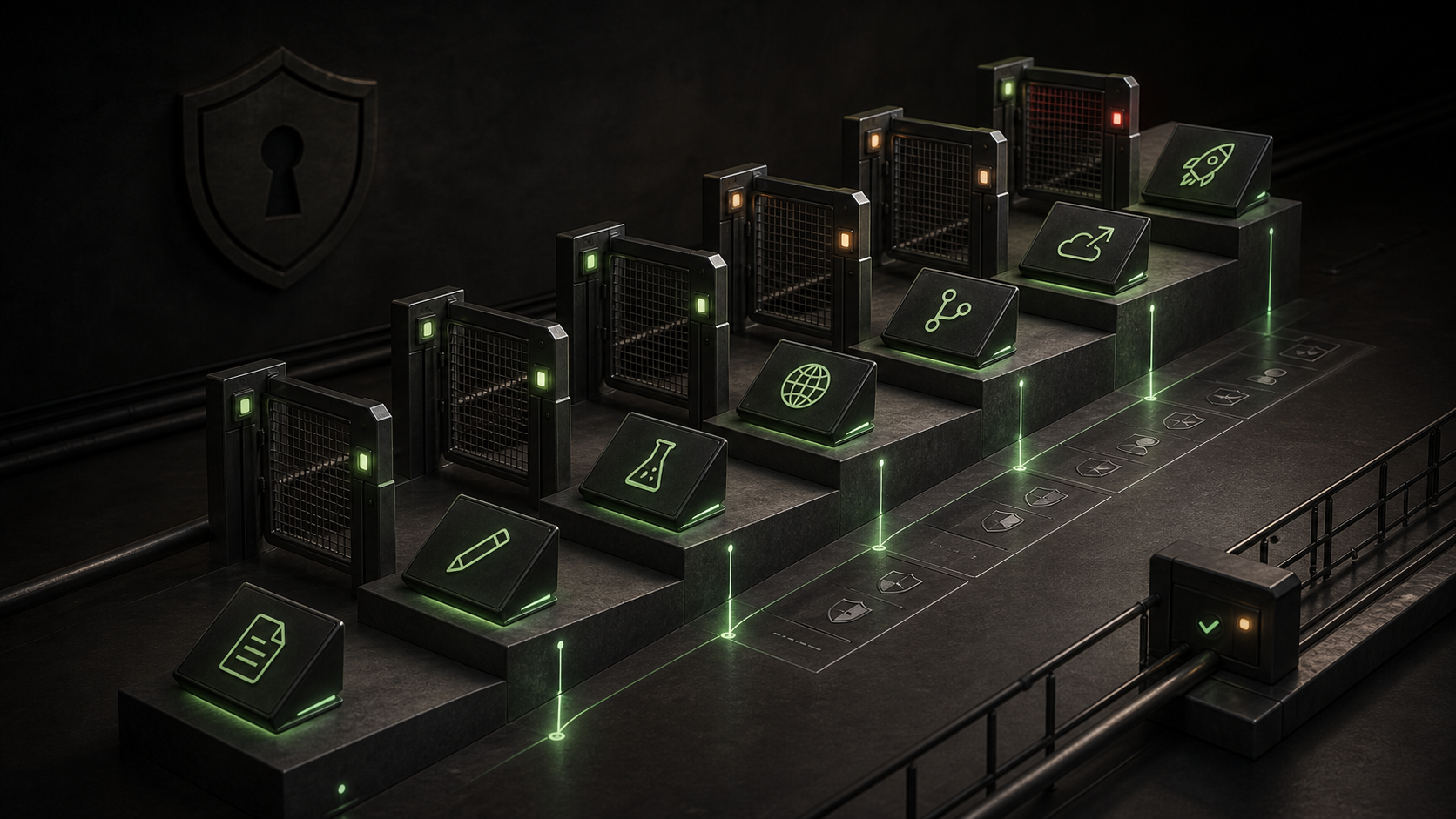
Coding-agent permissions should match the risk of the action, not the impatience of the person waiting for the prompt. Start with read access, allow routine edits and tests inside a known workspace, and keep external writes, production data, deploys, destructive shell commands, and broad network access behind approval. The useful mental model is a permission ladder: every rung lets the agent affect more state and increases the blast radius of a bad instruction, prompt injection, or misunderstood task.
Most teams do not need one universal mode. They need a small set of defaults:
| Arbeitsablauf | Recommended permission posture | Why |
|---|
| Code exploration, review, documentation lookup | Schreibgeschützt | The agent can inspect without changing state. |
| Local feature work | Workspace edit plus test commands | The agent can make progress while staying inside the repo. |
| Frontend verification | Workspace edit, local server, browser access | Visual work needs real browser evidence, but still should not touch external systems. |
| MCP research tools | Read-only MCP tools first | Tool descriptions and remote context can be injection surfaces. |
| Git branch and PR preparation | Allow commit/branch creation, review push separately | The PR is a human review boundary. |
| Deployments, production data, billing, CRM, cloud admin | Approval required | The agent is writing to systems where rollback may be slow or impossible. |
The permission ladder
Think of each capability as a higher rung:
- Read files and search the repo.
- Edit files in the current workspace.
- Run tests, linters, builds, and code generators.
- Use a browser against localhost.
- Create branches, commits, and pull requests.
- Call MCP write tools or external APIs.
- Deploy or mutate production systems.
The safest setup is not "never let the agent do anything." That just trains people to approve too many prompts without reading them. The safer setup is to pre-allow low-risk, high-frequency work and force a conscious review at the points where state leaves the local workspace.
Claude Code documents this distinction directly: read-only work can proceed without approval, while shell execution and file modification are gated unless the user or organization configures broader permissions. Codex now exposes permission profiles for local commands and filesystem/network boundaries, including built-ins such as :read-only, :workspace, und :danger-full-access. Those are useful names because they make the tradeoff visible. "Workspace" means "let the agent work here." "Danger full access" means "I have intentionally removed local sandbox restrictions."
File reads vs file edits
Read permission is the default starting point for almost every agent workflow. It lets the agent answer questions like:
Find where auth tokens are loaded.
Explain the failing checkout flow.
Review this diff for hidden coupling.
Read access becomes risky when the repo contains secrets, private customer exports, production logs, or unredacted .env files. In those projects, do not rely only on instruction files that say "do not open secrets." Use permission rules, sandbox profiles, content exclusion, or repo hygiene so the files are not available in the first place.
File edit permission is different. It is appropriate when the expected output is code, docs, tests, or config changes inside a known workspace. Keep the boundary boring:
Allowed:
- src/**
- tests/**
- docs/**
- package scripts needed for verification

Approval required:
- .env*
- credentials/**
- infrastructure state
- production deploy config
- payment, billing, or access-control policy changes
Codex permission profiles are a good example of this shape. A profile can allow writes under workspace roots while denying */.env, and can also restrict network destinations. The important point is not the exact syntax across tools. The important point is to make the filesystem boundary real, not aspirational.
Shell commands and tests
Shell access is where "helpful" becomes operational. A test command is usually fine. A migration, package install script, cleanup command, or deploy command may not be.
Pre-allow commands that are deterministic and local:
npm test
npm run lint
npm run typecheck
npm run build
pnpm test -- --runInBand
pytest
go test ./...
Keep approval on commands that mutate more than the working tree:
git push
rm -rf
terraform apply
kubectl apply
firebase deploy
vercel --prod
aws s3 sync
psql "$DATABASE_URL" -f migration.sql
Claude Code's permission docs call out an easy trap: command patterns are not a perfect security boundary. Wrapper tools, compound commands, redirects, variables, and flags can change what a command actually does. If the real rule is "the agent may fetch only from this domain," a shell allow pattern around curl is weaker than a tool or hook that validates the destination.
The team policy should say what a developer can approve without asking another human:
| Command type | Individual approval is usually enough | Team review required |
|---|
| Read-only shell, version checks, file listing | Ja | Nein |
| Unit tests, type checks, local builds | Ja | Nein |
| Dependency installation | Maybe | Yes for lockfile churn or scripts from untrusted packages |
| Database migrations | No for shared DBs | Ja |
| Cloud infra and deploys | Nein | Ja |
| Destructive cleanup | Nein | Yes unless isolated scratch env |
Browser and localhost actions
Browser access is not inherently dangerous. In frontend work, it is often the difference between a real review and a hopeful build log. Letting an agent open localhost, take screenshots, check mobile viewport behavior, and click through a form can catch broken logos, blank states, focus traps, layout overflow, and inaccessible controls.
The risk rises when the browser has authenticated sessions, real customer data, admin consoles, production cookies, or access to internal SaaS. Use separate test accounts and local fixtures. Prefer a browser profile made for agent verification rather than the developer's everyday browser profile.
Good browser permission policy:
Allowed without extra approval:
- http://localhost:3000
- http://127.0.0.1:5173
- screenshots of local UI
- keyboard navigation checks
- responsive viewport checks

Approval required:
- production admin pages
- customer records
- billing dashboards
- browser sessions with personal cookies
- submitting forms that send email, payment, or CRM updates
If the agent is verifying UI, require evidence. "Looks good" is not enough. Ask for the route, viewport, screenshot, and what was checked.
MCP is a protocol for connecting models to tools and context. In coding-agent setups, MCP servers often expose docs, browser automation, database queries, issue trackers, observability, deployment platforms, design tools, and internal APIs.
Do not treat all MCP servers as one permission class. Split them by effect:
| MCP tool class | Beispiel | Default |
|---|
| Read-only context | Docs search, schema lookup, issue read | Allow after server review |
| Local verification | Browser screenshot, localhost navigation | Allow for test accounts |
| Repository write | Create branch, comment on PR | Approval or narrow allowlist |
| External write | Create ticket, update CRM, change flag | Approval required |
| Production operation | Deploy, restart service, mutate data | Approval plus human owner |
Claude Code supports permission rules that target MCP servers and tools by name. Codex supports MCP configuration and tool allow/deny controls. GitHub Copilot cloud agent's docs note that the GitHub MCP server uses a specially scoped token with read-only access to the current repository by default, with the option to configure broader access. That default is the right instinct: read first, write deliberately.
OWASP's MCP security guidance is blunter: do not trust tool descriptions blindly, do not auto-approve calls without showing parameters, do not share credentials across MCP servers, and log tool invocations. That advice matters because MCP servers are not just "context." They are executable capability.
GitHub and PR actions
PRs are a good boundary for agent autonomy because they turn work into a reviewable artifact. GitHub Copilot cloud agent works in its own ephemeral GitHub Actions-powered development environment, can explore code, run tests and linters, make branch changes, and optionally open a pull request. Cursor background agents similarly work remotely and push branches back for handoff.
That does not mean every PR action should be silent. A reasonable policy is:
Allowed:
- create a local branch
- commit generated changes
- draft a PR body
- summarize tests run

Approval required:
- push to protected branches
- mark a PR ready when checks were not run
- request reviewers outside the team
- merge, squash, rebase public branches, or delete branches
For background or cloud agents, the permission decision also includes repository access. Avoid granting an agent broad organization access when one repo is enough. If the task needs dependent private repos or submodules, grant that access intentionally and document why.
Deployments and production data
Deploy permission should be the top rung. A local code edit is reversible with Git. A production deploy can change customer behavior, data shape, billing flows, API contracts, or incident load. An agent can help prepare a deploy, but the final write should stay explicit unless the environment is a disposable preview.
Practical split:
Agent can do:
- build the app
- run tests
- produce migration notes
- create preview deploys
- inspect non-sensitive logs
- draft rollback steps

Agent must ask:
- production deploy
- database migration against shared data
- changing DNS, auth, billing, or IAM
- writing to customer systems
- rotating live credentials
The line is not "local vs cloud." The line is "can this action affect someone outside the working branch?" If yes, require approval and leave an audit trail.
Team policy examples
Small teams can usually get by with three modes:
Review mode
Use for unfamiliar repos, security work, production incidents, and vendor MCP evaluation.
Read files: allowed
Edit files: ask
Shell: read-only and version commands allowed
Network: ask
MCP: read-only tools only
External writes: deny
Deploy: deny
Build mode
Use for normal feature work in a trusted repo.
Read files: allowed
Edit files: workspace only
Shell: tests, lint, typecheck, build allowed
Browser: localhost allowed
MCP: approved read tools, local browser tools
Git: commit allowed, push asks
Deploy: preview only
Release mode
Use when the agent assists a human operator.
Read files: allowed
Edit files: release notes, config diffs, rollback docs
Shell: build and verification allowed
External writes: ask
Production deploy: ask every time
Production data: ask every time
Managed settings, committed permission files, and per-project config are useful when the team wants consistency. Personal overrides are useful for editor habits, but they should not weaken the project policy for sensitive repos.
What goes wrong in real projects
The first failure is prompt fatigue. The agent asks for everything, so the developer stops reading. Fix that by allowing routine safe actions and keeping meaningful prompts meaningful.
The second failure is a permission rule that sounds safer than it is. A broad shell allowlist can accidentally cover package scripts, wrappers, or commands whose behavior is controlled by repo files. Treat npm run something as "run whatever this repository defines," not as a universal safe action.
The third failure is mixing local and external writes. Letting an agent edit source files is not the same as letting it update Linear, Slack, GitHub, Stripe, Firebase, Vercel, AWS, or a production database. Split those capabilities even when they arrive through the same MCP server.
The fourth failure is giving background agents too much repo access. A remote agent that can clone, run commands, use secrets, and push branches should have the same review standard as a human contractor joining the repo for the day.
Final permission checklist
Before relaxing prompts, answer these:
- What exact workspace roots may the agent read and write?
- Which files are denied even inside the workspace, especially
.env, keys, dumps, and private exports? - Which shell commands are pre-approved because they are local and repeatable?
- Which commands always require approval because they mutate external systems?
- Which MCP servers are installed, who owns them, and which tools are read-only vs write-capable?
- Does browser access use a test profile and test account?
- Can the agent push branches, open PRs, or only draft changes locally?
- Are production deploys and shared database writes explicitly gated?
- Are agent actions logged where the team can review them later?
- Is there a fast rollback path for the highest-risk allowed action?
The end state is not a fearless agent. It is a boring permission system where safe work flows quickly and dangerous work is obvious at the moment it is requested.