 Otter.ai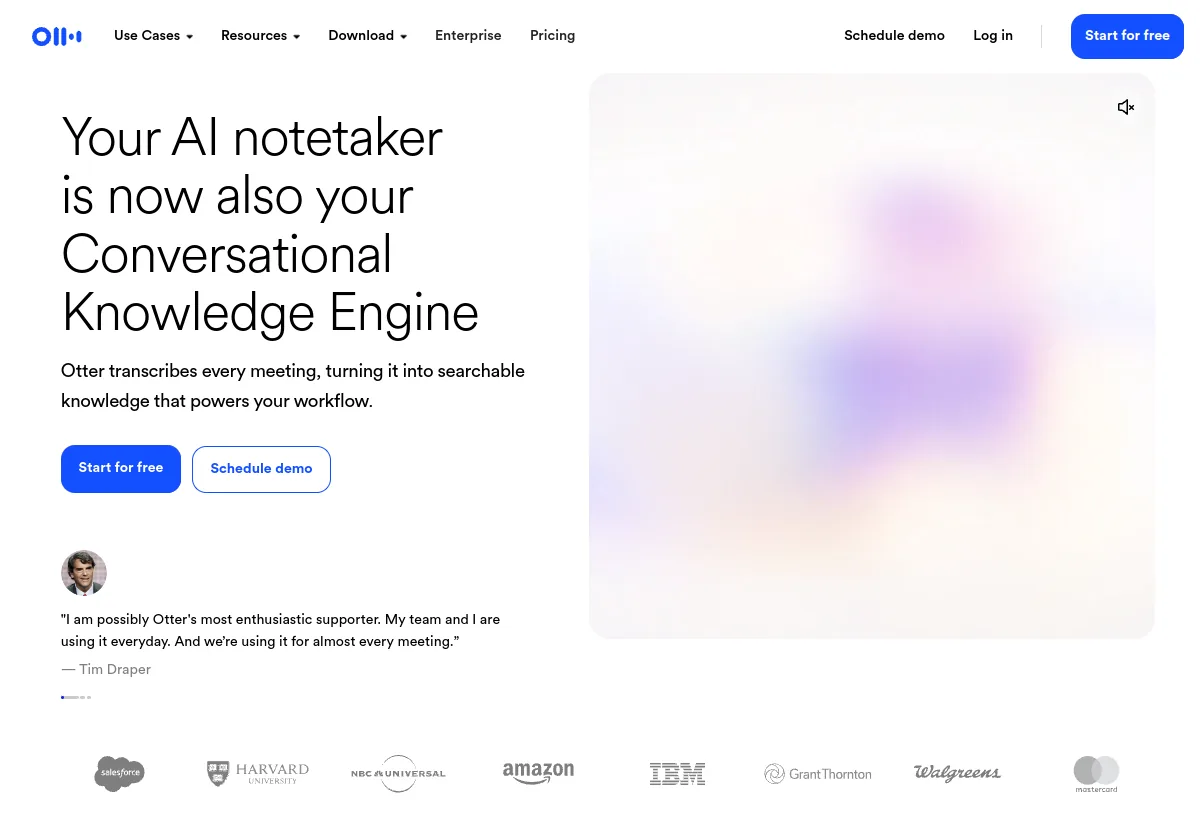
Our verdict
Strong meeting memory, with "unlimited" that still has a ceiling
Otter is worth a shortlist when the pain is meetings that vanish after the call. The official product is a Conversational Knowledge Engine: live transcription, speaker identification, searchable transcripts, automated summaries and action items, folders and channels, and AI Chat within and across meetings. Capture is Zoom, Microsoft Teams, and Google Meet via a meeting notetaker, plus Mac and Windows desktop recording without a bot, mobile apps, and a Chrome extension for bot-free Google Meet and web media.
The buying mistake is treating Business as unlimited transcription. The pricing matrix makes meetings and in-app recordings unlimited on Business and Enterprise, while imported-file transcription stays capped at 6,000 minutes per user per month with no rollover. AI Chat is separately capped. Concurrent meetings are capped. Salesforce and HubSpot synced users are capped until Enterprise. Price the meter, not the adjective.
Wie wir das bewertet haben
This is a desk review, not a paid transcription-accuracy benchmark. We checked the official homepage, pricing matrix, enterprise page, integrations directory, Trust Center, privacy policy, and recent product posts (Notion connector, 28 July 2026; Live Assist, 23 July 2026) on August 19, 2026. Help Center URLs were historically blocked by Cloudflare in earlier research passes, so we do not rely on help-article-only claims. Pricing on the live page is geo- and promotion-sensitive. We report the regular public USD baseline and call out India-card and first-time offers separately.
We weight capture reliability across Zoom/Meet/Teams, minutes and query meters, integration depth versus directory listings, admin and identity controls, and training/HIPAA terms. We did not measure word-error rate on your accent mix, and we did not independently audit the SOC 2 Type II report (it is gated behind the Trust Center).
Kostenmodell
The cheap seat is not the bill. Unused minutes die, and AI Chat is a second cap
Otter looks inexpensive because Pro annual is $8.33 per user per month. The unit that actually constrains a busy team is the shared transcription pool, which the pricing page says does not roll over, plus AI Chat queries, plus how many meetings one person can join at once. That is a different shape from a Notion seat or a ChatGPT seat, where meeting volume is not the meter.
- Minutes are a monthly use-it-or-lose-it pool. Basic 300, Pro 1,200, Business unlimited for meetings and in-app recordings. Imported files share the pool on Basic and Pro. On Business and Enterprise, imports are a separate 6,000-minute cap. A team that records live and also dumps Zoom cloud files will hit imports while "unlimited meetings" still looks green.
- Conversation length is gated by plan. 30 minutes on Basic, 90 on Pro, 4 hours on Business and Enterprise. A quarterly business review that runs past 90 minutes is a plan decision, not a settings toggle.
- AI Chat is not unlimited knowledge search. 20 queries per user per month on Basic (and 3 per conversation), 50 on Pro, 200 on Business and Enterprise. A workspace that asks Otter to draft follow-ups after every standup will burn Pro's 50 queries in two weeks.
- Concurrent meetings are a manager tax. 1 on Basic, 2 on Pro, 3 on Business and Enterprise. The person who sits in overlapping standups and customer calls is the one who forces the upgrade, not the quiet individual contributor.
- CRM seats are not workspace seats. Salesforce or HubSpot synced notes: 1 user on Pro, 5 on Business, unlimited on Enterprise. A 12-person sales pod on Business still needs to know which five identities actually write to CRM.
Worked example on regular public USD rates checked August 19, 2026. Ten people, each in about eight hours of meetings a week. If Otter joins each meeting once, that is roughly 1,280 minutes per user per month. Pro's 1,200-minute cap is already short, even before imports. Pro annual for ten people is $83.30 per month ($8.33 x 10). Business annual is $199.90 per month ($19.99 x 10) and includes unlimited live meetings, 4-hour conversations, 3 concurrent joins, 200 AI Chat queries, and activity logs. The upgrade is not "more AI." It is "stop hitting the minute wall in week three." If those ten people also upload training recordings, the 6,000-minute import cap per user is the next wall, and RTMP live transcription is listed with additional fees.
Checkout is noisy. The live page showed an India-issued credit card offer at $4.17 per user per month annual Pro and $8.49 monthly Pro, and a first-time Business monthly offer at $24 for three months (regular monthly Business is $30). Student and teacher .edu pricing is $6.67 per month billed annually ($79.99 per year) or $13.59 monthly on Pro. Put the regular rate, the promo, and the renewal rate on the same quote. Do not let a regional tile become the budget.
Who Otter.ai fits best
Stärken
- Cross-platform capture. Notetaker for Zoom, Teams, and Google Meet, plus bot-free desktop and Chrome options when a participant-list bot is unwelcome.
- Searchable meeting memory. Transcripts, summaries, action items, speaker ID, folders/channels, comments, and exports (MP3/TXT on Basic; PDF/DOCX/SRT and bulk export on paid plans).
- AI Chat and MCP. Query within and across meetings. Otter MCP server is listed on the public matrix, including Basic. Claude can search recaps and draft follow-ups from transcripts via MCP. Confirm which chat clients are contracted.
- Workflows into the rest of work. Salesforce, HubSpot, and Zapier from Pro up (user-limited). Notion two-way connector announced 28 July 2026. Jira, Asana, Slack, and storage targets appear in the integrations directory.
- Admin path on Business and Enterprise. Activity logs, usage analytics, custom retention, SSO/SCIM (100-user minimum on the public matrix), domain capture, API/webhooks, and HIPAA as an Enterprise add-on.
Zu überprüfende Einschränkungen
- "Unlimited" excludes imported files at 6,000 minutes per user per month on Business and Enterprise, and excludes conversation-length and concurrent-join caps.
- Workspace size caps of 5 members (Basic), 5 billed users (Pro), 25 billed users (Business), unlimited (Enterprise).
- Languages listed: English, Spanish, French, German, Japanese, and Chinese. Do not assume others without a live test.
- Training on de-identified audio and transcripts is described in the privacy policy. Enterprise offers an opt-out through an account manager. Do not assume Pro inherits that.
- HIPAA is an add-on, not a default. Require a BAA and configuration guidance.
- Roadmap labels still conflict. Pricing still marks AI Chat with Gmail, Drive, Notion, and Jira as coming soon in one block, while a July 28 post says the Notion connector is live. Ask which is generally available on your SKU.
Surfaces to verify
Otter's surfaces are meetings, recorders, AI Chat, and the workspace. They are not a WhatsApp or Instagram support stack. Map each capture path before you mandate the tool company-wide.
- Meeting notetaker: joins Zoom, Microsoft Teams, and Google Meet. Confirm auto-join rules, external-meeting policy, participant notification, bot display name, and what happens if the bot is kicked.
- Desktop recorder: Mac (12.3+) and Windows (10+) without a meeting bot. This is the path for rooms that refuse bots.
- Chrome extension: bot-free Google Meet capture and web-media transcription.
- Mobile: iOS and Android recording and playback.
- Calendar: Google Calendar and Outlook. Phone: Zoom Phone and RingCentral appear in the directory. RTMP live transcription carries additional fees.
- AI Chat: within a conversation and across meetings, query-capped by plan. MCP server for assistants. Homepage mentions ChatGPT, Claude, and other clients. Confirm the supported list at contract time.
- Workspace: folders, private channels, public links, General channel sharing on paid tiers, takeaways panel, slide capture, custom vocabulary.
- Downstream systems: CRM (Salesforce, HubSpot, Dynamics, Monday.com, Zoho, Outreach, Salesloft), work tools (Slack, Notion, Jira, Asana, ClickUp, Google Docs, Airtable, Zapier), storage (Drive, Dropbox, OneDrive, SharePoint, S3, Egnyte, Snowflake, Glean). Export-oriented connectors are not the same as two-way sync.
Meeting workflow and handoff
The intended loop is: calendar triggers the notetaker or a human hits record, Otter produces a live transcript and a summary with action items, the team comments in the conversation, AI Chat answers "what did we decide," and a connector writes a CRM note or a Jira task. The buying question is whether that loop survives your consent rules, your overlapping meetings, and your CRM field map.
Custom AI meeting templates are capped: 5 meetings per user on Basic, 15 on Pro, 30 on Business, unlimited on Enterprise. Live Assist, announced 23 July 2026, is an Enterprise coaching surface: playbooks and battlecards, private prompt cards during Zoom/Meet/Teams or Otter Desktop. Existing Enterprise customers are told to go through a CSM or AE. Do not budget Live Assist as a self-serve Pro feature.
Handoff quality is the difference between a transcript dump and an operating system. Test whether Salesforce or HubSpot writes the right fields, whether Notion actually receives decisions (the July 28 post claims two-way query and write-back without publishing field-level docs), and whether kicking the bot mid-call still leaves a usable partial transcript. Also test offboarding: when a user leaves, do their conversations stay searchable, and does CRM sync stop?
Pricing checked August 19, 2026
Otter.ai pricing: seats, minutes, and query caps
Public USD packaging is Basic, Pro, Business, and Enterprise. Annual rates below are the regular baseline on otter.ai/pricing. Monthly Pro is $16.99 per user. Monthly Business displays $30 per user, with a first-time $24 for three months offer marked separately. India-issued card Promos ($4.17 annual Pro, $8.49 monthly Pro) are not the global list price.
| Planen | Public price | Included capacity / meter | Beste Passform |
|---|---|---|---|
| Einfach | $0 | 300 shared transcription/import minutes per user, no rollover; 30 minutes max per conversation; 3 lifetime file imports; 25 recent conversations; 1 concurrent meeting; 20 AI Chat queries (3 per conversation); 5 workspace members; MP3/TXT export | Personal trial and light note capture |
| Profi | $8.33/user/mo billed annually$16.99/user/mo billed monthly | 1,200 shared minutes per user; 90 minutes max; 10 file imports per month; 2 concurrent meetings; 50 AI Chat queries; unlimited history; 5 billed users; Salesforce/HubSpot/Zapier (1 CRM-synced user); PDF/DOCX/SRT export | Individuals and tiny teams under ~1,200 minutes |
| Geschäft | $19.99/user/mo billed annually$30/user/mo billed monthly ($24 for 3 months, first-time offer) | Unlimited meetings and in-app recordings; 6,000 imported-file minutes per user; 4 hours max; unlimited imports; 3 concurrent meetings; 200 AI Chat queries; 25 billed users; 5 CRM-synced users; activity logs, usage analytics, priority support; bulk export | Teams whose live meeting volume breaks Pro, and who need admin logs |
| Unternehmen | Quote | Unlimited custom templates; Sales Notetaker; custom CRM/dialer integrations; SSO and SCIM (public matrix: 100-user minimum); domain capture; API/webhooks; custom retention; HIPAA add-on; video replay for Zoom and Meet; Customer Success; unlimited CRM users and workspace members | Identity, HIPAA, API, and sales-coaching rollouts |
Source: otter.ai/pricing, checked August 19, 2026. Confirm checkout price for your billing country, taxes, promo eligibility, CRM user limits, and RTMP fees. Minutes do not roll over. Student/teacher Pro: $6.67 per month billed annually ($79.99 per year) or $13.59 monthly with a .edu address, per the pricing FAQ.
AI capability: Chat, templates, and Live Assist
Otter's AI layer is not a general agent. It is meeting-grounded: summaries, action items, templates, and AI Chat over conversations you captured. That grounding is the point. It is also why query caps matter. Fifty Chat queries on Pro is a light research allowance, not an "ask Otter everything" workflow.
Templates and workflows are now a first-class packaging axis (standard, advanced, custom), with custom-template meeting caps by plan. Live Assist is the Enterprise coaching bet: an agent builder fed with playbooks, SOPs, prior transcripts, and battlecards, then private prompt cards during the call. Availability and price are sales-assisted. Do not write them into a Pro business case.
MCP is the bridge to Claude and, per homepage copy, other assistants. That is useful if your team already lives in those chats. It is not a reason to skip testing Otter's own AI Chat caps, because MCP does not magically raise the 50-query Pro limit unless the vendor says so in the order form.
Feature areas to verify in a pilot
- Auto-join and kick behavior on Zoom, Meet, and Teams, including external guests and consent banners.
- Desktop and Chrome capture in a room that will not admit a bot.
- A 90-minute versus a 4-hour meeting, so conversation-length caps are felt, not theoretical.
- Two overlapping meetings on the same user (Pro's concurrent cap is 2).
- File import of a Zoom cloud recording against the shared or 6,000-minute import pool.
- AI Chat across ten meetings, counted against the monthly query cap.
- Salesforce or HubSpot write-back for the number of synced users you actually need.
- Notion query and write-back, given the July 2026 post versus the "coming soon" pricing label.
- Export of PDF/DOCX/SRT and, on Business, bulk export.
- Admin: activity logs, retention, offboarding, and whether SSO is even offered below 100 seats.
Analytik und Betriebstransparenz
Business adds usage analytics and activity logs. That is the minimum if you will argue for a company-wide rollout. You need to see who is burning minutes, who is hitting AI Chat caps, and whether imports are eating the 6,000-minute pool. Pro does not advertise those admin reports. Buying Pro for a 20-person org because $8.33 looks cheap will leave you blind when someone asks why transcripts stopped.
Enterprise adds centralized conversation management, recording and sharing permissions, export controls, and (on the sales-notetaker path) coaching analytics. Decide before the pilot whether you need talk-time and objective tracking, or only search. Those are different products at different prices.
Security, data handling, and compliance
The Trust Center lists a SOC 2 Type II report (auditor named as Boulay) behind an access request, plus GDPR, CCPA, HIPAA documentation, VPAT, pentest, HECVAT, subprocessors, and encryption material. The pricing matrix states TLS and AES-256 for real-time content, 2FA, and, on higher tiers, activity logs, custom retention, SSO, SCIM, and domain capture. SSO and SCIM show a 100-user license minimum. HIPAA is an Enterprise add-on.
The privacy issue to contract is training. Otter's Datenschutzrichtlinie says it may train proprietary AI on de-identified audio recordings and transcriptions, which may contain personal information, citing consent or legitimate interests. The Enterprise page says organizations can request an AI model-training opt-out through their account manager. Reconcile those two sentences on the order form: who is opted out, which processors, effective date, and whether historical audio is in scope. Retention is "as long as necessary" in the policy, with custom retention advertised on Enterprise. Ask for deletion SLA, backup purge, and legal hold.
What questions should you ask before buying Otter.ai?
- What is the checkout price in our billing country, including renewal, taxes, and whether a regional promo applies?
- Which minutes count against which pool: live meetings, desktop recordings, Zoom cloud imports, and uploaded files?
- What happens at a cap: stop recording, stop transcription, overage, or forced upgrade? What is RTMP extra?
- How many Salesforce or HubSpot identities are included, and what fields write back?
- Can we control bot join, consent, and display name, and is desktop capture enough for bot-free rooms?
- Is AI training opt-out available on our plan, and is HIPAA a paid add-on with a BAA?
- Does SSO/SCIM require 100 seats, and is there a negotiated exception?
- Which of Notion, Gmail, Drive, and Jira AI Chat is generally available on our SKU today?
What red flags should you watch for with Otter.ai?
- The quote uses India-card or first-time tiles as if they were your renewal price.
- Sales calls Business "unlimited transcription" without the 6,000-minute import cap and 4-hour conversation ceiling.
- The demo never joins your Zoom or Teams tenant, or never shows a kicked-bot recovery.
- Training opt-out is described verbally and never appears in the DPA.
- Healthcare is discussed without a BAA and add-on price.
- CRM sync is shown for one AE and then sold as "the whole team."
- You already standardize on Notion AI or meeting summaries inside ChatGPT, and Otter would only duplicate transcripts you already store.
What are the best alternatives to Otter.ai?
Pick by where meeting knowledge needs to live. Dedicated notetakers, workspace AI, and general assistants are not interchangeable. Category peers such as Fireflies or Fathom exist outside this review set. We only link tools we already cover.
- Notion AIChoose Notion AI when meeting notes, docs, and tasks should live in the same workspace you already run, and a separate notetaker bot is extra vendor sprawl.
- ChatGPTChoose ChatGPT when you already capture audio elsewhere and need analysis, drafting, and a general assistant more than a Zoom/Meet/Teams notetaker.
- ClaudeChoose Claude when long-context review of transcripts and writing quality matter more than automated meeting join, and you will paste or MCP-connect source files yourself.
Workflow test
What Otter.ai needs to prove in a real workflow
A clean summary of a friendly internal standup is not evidence. Run this four-step test on real calendar load.
- Capture the ugly meeting.One external Zoom or Teams call with crosstalk, a bot-join, and a bot-free desktop recording of a second call. Score transcript usability, speaker names, and consent behavior.
- Count the meters.Run a week at realistic volume. Record minutes used (live versus import), AI Chat queries, concurrent-join failures, and any conversation that hit the 90-minute or 4-hour wall.
- Write to a system of record.Push one conversation into Salesforce or HubSpot and one into Notion or Jira. Check fields, user limits, and what happens when you delete the Otter conversation.
- Offboard and retain.Remove a pilot user. Confirm what remains searchable, what still syncs, and whether training opt-out and retention settings match what legal asked for.
Continue the decision
Verwandte Lektüre
- Notion AI reviewCompare workspace-native AI if your notes already live in Notion.
- ChatGPT reviewCompare a general assistant when transcription is a solved input, not the product.
- Claude reviewCompare long-context analysis of transcripts you already store.
- How to choose an AI agent platformUse the same criteria for meters, data use, and workflow fit.
- Tools directoryScan adjacent assistants and workspace AI on one list.
- AI agent buyer scorecardTurn the four-step meeting test into a written go or no-go.
Offizielle Quellen zur Überprüfung
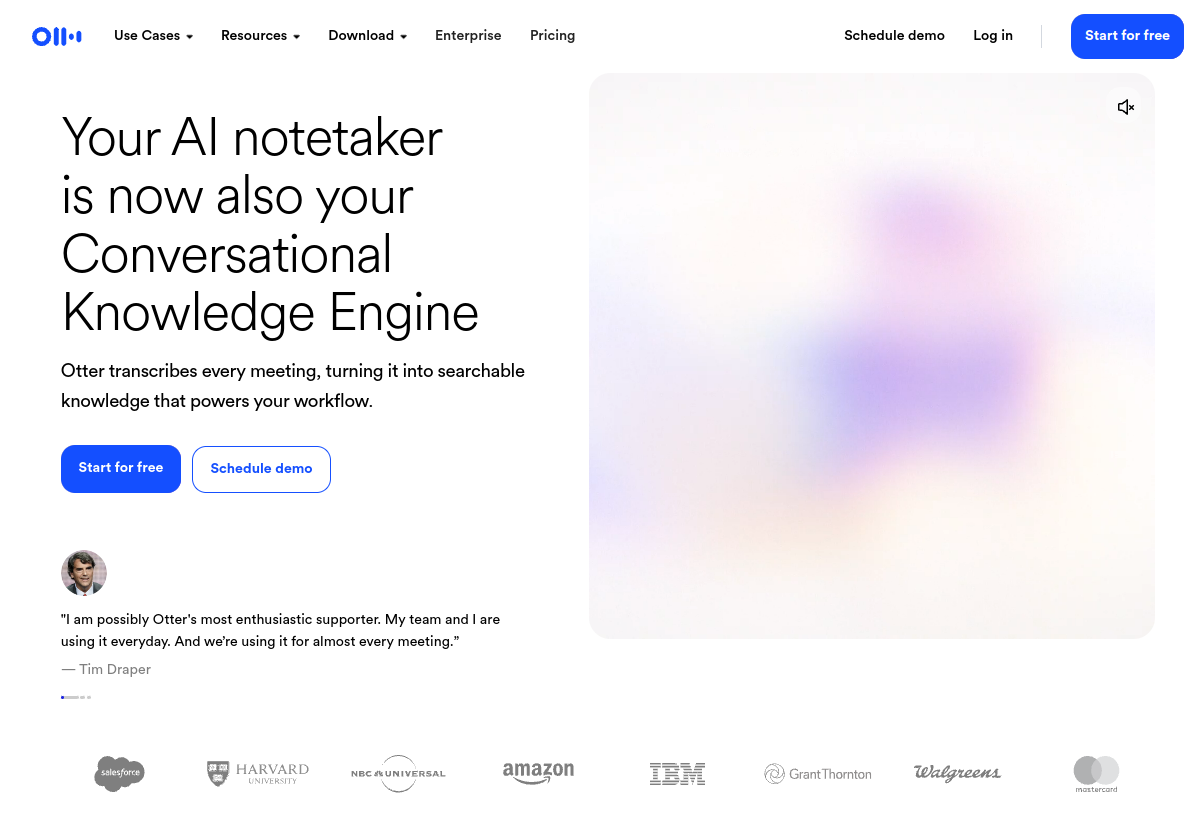 Offizielle ProduktseiteSource snapshot 2026-08-19 - otter.aiMeeting-notetaker positioning, Zoom/Meet/Teams capture, and AI Chat claims checked against the vendor homepage.
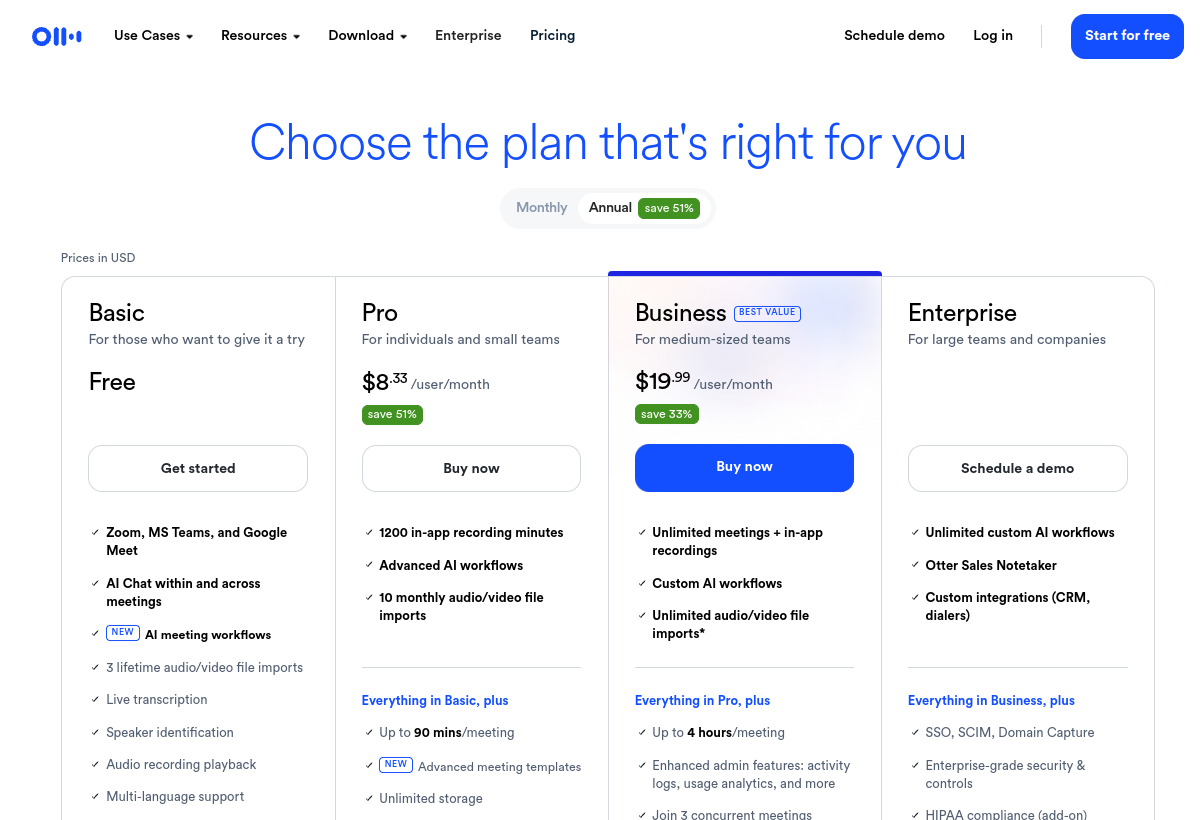 Official pricing pageSource snapshot 2026-08-19 - otter.ai/pricingPlan tiles, annual versus monthly rates, minutes, AI Chat caps, and admin feature matrix checked August 19, 2026.
Also verify: Integrationen, Unternehmen, Trust Center, Datenschutzrichtlinie, Notion connector post, und Live Assist post. Screenshots are editorial captures; confirm live pages before purchase.
Anspruchs- und Quellenbuch
Worauf dieses Profil basiert
Public Otter product, pricing, enterprise, integrations, Trust Center, privacy, and blog pages reviewed on August 19, 2026. We recorded Basic free with 300 minutes, Pro $8.33 annual / $16.99 monthly, Business $19.99 annual / $30 monthly, imported-file caps, AI Chat query caps, concurrent-meeting caps, CRM user limits, SSO/SCIM 100-user minimum, HIPAA add-on, and training-opt-out language on Enterprise.
Was wir nicht überprüft haben
We did not run a paid multi-week transcription accuracy test, independently audit the SOC 2 Type II report, complete a BAA review, or confirm Help Center operational articles (Cloudflare has blocked automated access in prior passes). Buyers should run the four-step workflow test and request current reports, DPA, and opt-out terms in writing.
Wie wir gepasst haben
Editorial fit weights meeting-capture coverage, minutes and query economics, integration depth, admin and identity controls, and data-use risk. It is not a word-error-rate benchmark, a user-satisfaction score, or a vendor rating.
Should you choose Otter.ai?
Otter.ai is a meeting notetaker and conversation workspace for Zoom, Google Meet, and Microsoft Teams, with desktop and mobile capture, AI Chat, and connectors into CRM and docs. Public pricing as of August 19, 2026 starts at $8.33 per user per month billed annually for Pro, and $19.99 per user per month billed annually for Business. Basic is free with 300 minutes. Enterprise is quote-based. Minutes do not roll over. Business "unlimited" still caps imported files at 6,000 minutes per user per month.
Choose Otter when searchable meeting memory across those surfaces is the job and you will model minutes, concurrent joins, and AI Chat queries before you sign. Look elsewhere when you already live in Notion, when a general assistant is enough, when HIPAA or training opt-out cannot be contracted, or when a meeting bot is unacceptable and desktop capture will not cover the rooms. Run the four-step workflow test on your calendar, not on a demo tenant.
FAQ
Häufige Fragen
What is Otter.ai best used for?
Capturing Zoom, Google Meet, and Microsoft Teams conversations, turning them into searchable transcripts with summaries and action items, and querying that meeting knowledge in AI Chat. It is not a WhatsApp support agent and not a full revenue-intelligence suite.
How much does Otter.ai cost in 2026?
As of August 19, 2026, Basic is free. Pro is $8.33 per user per month billed annually or $16.99 monthly. Business is $19.99 per user per month billed annually or $30 monthly. Enterprise is quote-based. Confirm live checkout. India-card and first-time offers are promotions, not the global list.
Is Otter Business really unlimited transcription?
Meetings and in-app recordings are unlimited on Business and Enterprise. Imported-file transcription is capped at 6,000 minutes per user per month with no rollover. Conversations still stop at 4 hours. Concurrent joins stop at 3.
Does Otter work without a meeting bot?
Yes. Desktop apps for Mac and Windows can record locally, and a Chrome extension can capture Google Meet without a bot. Test whether that path covers the meetings your notetaker cannot join.
Does Otter train on our recordings?
The privacy policy describes training proprietary AI on de-identified audio and transcriptions. Enterprise customers can request an opt-out through an account manager. Get the scope in the DPA. Do not assume Pro is opted out by default.
Is Otter HIPAA compliant?
HIPAA is an Enterprise add-on. Obtain a BAA, scope, and configuration requirements before treating a deployment as compliant. SOC 2 Type II is listed in the Trust Center behind an access request.
Otter vs Notion AI vs ChatGPT?
Choose Otter when automated join across Zoom/Meet/Teams and a meeting-native workspace are the job. Choose Notion AI when notes should live in Notion. Choose ChatGPT when you already have transcripts and need a general assistant.
What languages does Otter transcribe?
The public pricing matrix lists English, Spanish, French, German, Japanese, and Chinese. Do not extend that list without a current product test on your audio.
How long does an Otter pilot take?
A week of real calendar load is enough to see minute burn, bot behavior, and Chat caps. Add a second week for CRM or Notion write-back and an offboarding test before you sign annual.
Who should skip Otter.ai?
Teams that refuse meeting bots without a desktop fallback, healthcare teams without a BAA, buyers who need SSO under the 100-user public minimum and cannot negotiate it, and teams that only needed ChatGPT or Claude to summarize files they already store.