GitHub Copilot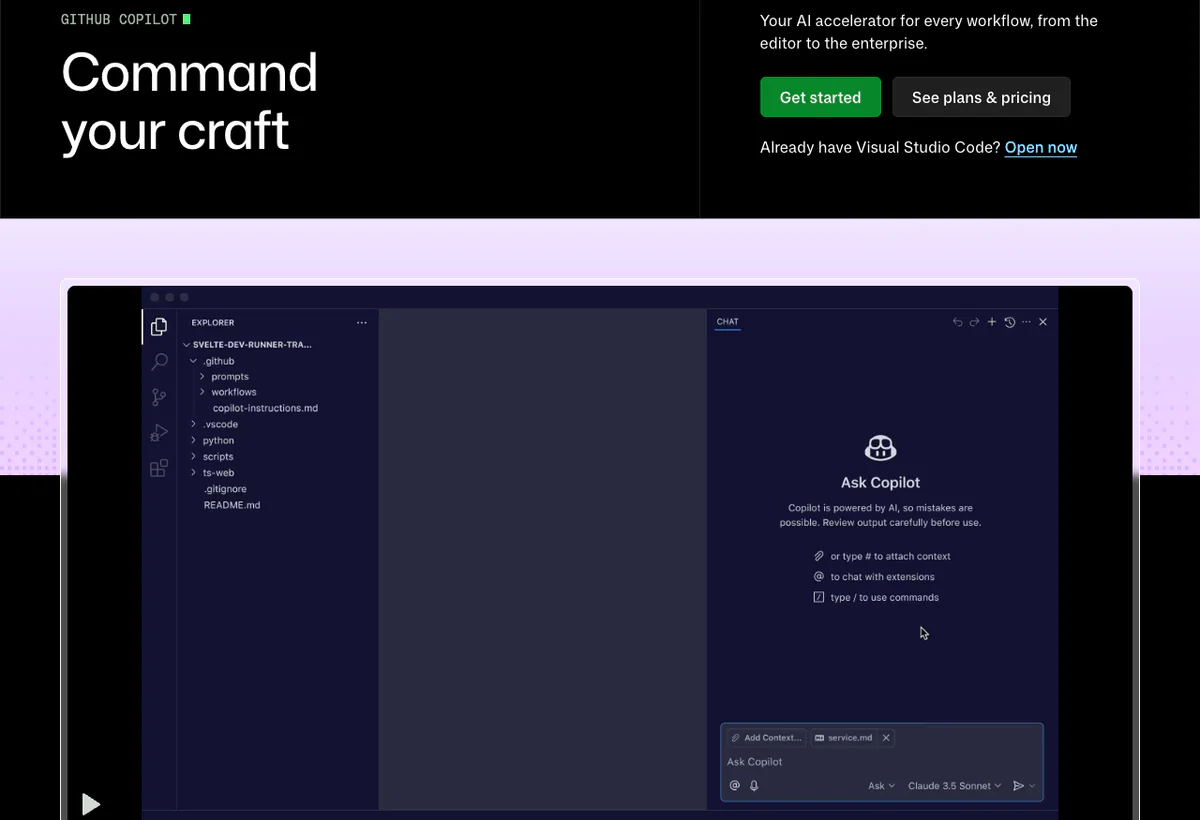
Is GitHub Copilot worth it?
GitHub Copilot is an AI coding assistant and developer agent platform that runs in the editors you already use and on GitHub.com. Paid plans include unlimited code completions and next-edit suggestions. Everything else that calls a model (chat, agent mode, Copilot cloud agent, code review, CLI, Spark, Spaces, third-party agents) consumes GitHub AI Credits. That split is the product. Completions-only teams can stay near the seat price. Agent-heavy teams will not.
The public rate card on August 19, 2026 is Free at $0 with 2,000 completions per month, Pro at $10 with $15 of monthly AI credits, Pro+ at $39 with $70 of credits, Max at $100 with $200 of credits, Business at $19 per granted seat, and Enterprise at $39 per granted seat. Docs convert those dollar credits into 1,500, 7,000, and 20,000 AI credits for Pro, Pro+, and Max, because 1 credit equals $0.01. Business includes 1,900 credits per user pooled org-wide. Enterprise includes 3,900. A promotional pool of 3,000 and 7,000 credits per user runs through September 1, 2026, then returns to the standard amounts. New self-serve Copilot Business sign-ups for organizations on GitHub Free and GitHub Team have been paused since April 22, 2026. Contact sales for org plans.
Comment nous avons évalué cela
We evaluated Copilot as a GitHub-native coding assistant and agent platform, not as a standalone IDE. Scoring weights environment breadth (IDEs, GitHub.com, Mobile, CLI, Desktop), workflow depth (completions, chat, agent mode, cloud agent, code review), handoff quality (diff, tests, pull request, logs), control surface (policies, content exclusions, budgets, audit logs), and credit predictability (base plus flex credits, pooled org credits, Actions minutes).
On August 19, 2026 we read the Copilot product and plans pages plus docs for plans, individual and org billing, and cloud agent. We did not measure acceptance rates on your languages. Remaining tests: one agent-mode task, one cloud-agent pull request, and a credit forecast by model.
Consult GitHub Copilot product page, Plans de copilote GitHub, Plans for GitHub Copilot, Usage-based billing for individuals, About GitHub Copilot cloud agent for product documentation and plan details. Confirm the terms that apply to your purchase.
Calcul du prix à exécuter
Price credits and Actions minutes, not the $10 seat
Copilot still looks like a seat product in procurement decks. Since June 1, 2026 it is a seat plus a token meter. Code completions and next-edit suggestions remain unlimited on paid plans. Chat, agent mode, cloud agent, code review, CLI, Spark, Spaces, and third-party coding agents spend AI credits. GitHub prices tokens by model, then converts the dollar total into credits at 1 credit = $0.01. A cheap chat turn on a small model can cost a fraction of a credit. A long cloud-agent session on a frontier model across many files can cost many dollars of credits in one task.
Individual paid plans split the monthly allowance into base credits that match the subscription price and a flex allotment that GitHub can change as model economics change. Pro is $10 with 1,000 base plus 500 flex (1,500 credits, shown as $15 on the plans page). Pro+ is $39 with 3,900 base plus 3,100 flex (7,000 credits, $70). Max is $100 with 10,000 plus 10,000 (20,000 credits, $200). Unused credits do not roll over. They reset at 00:00:00 UTC on the first day of each calendar month, not on your billing anniversary. That UTC reset is how two teammates on the same plan can see different "month left" if you think in invoice dates.
- Separate completions from agent work. Completions do not spend credits on paid plans. Agent mode, cloud agent, and review do. A team that "uses Copilot all day" on Tab only is not the same cost as a team that assigns issues to Copilot.
- Price the model, not the feature name. Docs say a quick chat on a lightweight model may cost a fraction of a credit, while a long cloud-agent session on a frontier model costs more because it does more work. Paid users get a 10% discount when they use auto model selection in chat, CLI, the Copilot app, or cloud agent. Pinning Opus or GPT-5.6 Sol for every turn is a budget decision.
- Add GitHub Actions minutes. Cloud agent runs in a GitHub Actions environment. Code review on private repositories also consumes Actions minutes. Those minutes sit on the GitHub bill next to AI credits. A private-repo org that enables cloud agent and Copilot review on every pull request has two meters, not one.
- Org pools hide power users until they do not. Business includes 1,900 credits per granted seat, pooled. Enterprise includes 3,900. One hundred Business seats is 190,000 shared credits, about $1,900 of model spend, plus $1,900 of seats. Additional usage is enabled by default. If nobody disables paid overage, the pool is a floor, not a ceiling. User-level budgets cap individuals. A $0 user budget blocks that user immediately.
- Promo credits expire on September 1, 2026. Existing Business and Enterprise customers get 3,000 and 7,000 credits per user through that date. Forecasts that use the promo pool will break in September. Rebuild the model on 1,900 and 3,900 before you renew.
A worked example using published numbers: fifty Business seats cost $950 per month. The standard pool is 95,000 credits ($950 of model usage). Ten engineers running two $5 Opus cloud-agent sessions a day across ~22 working days is 220,000 credits, more than double the pool, with overage on unless an admin disabled it. Completions-only usage would have stayed inside the seat price. Agent assignment is the fork in the forecast.
Who GitHub Copilot fits best
Points forts
- Stays in the editor and GitHub you already have. No mandatory IDE migration.
- Unlimited completions and next-edit suggestions on every paid plan, with 2,000 completions per month on Free.
- Agent mode in VS Code, Visual Studio, JetBrains, Eclipse, and Xcode plus Copilot CLI and a cloud agent that researches, plans, and writes on a branch.
- Org controls on Business and Enterprise: policy, access, audit logs, file exclusions, pooled credits, budgets.
- Broad model catalog including Claude, GPT, Gemini, Grok, Kimi, and Microsoft coding models, with plan-based access to premium models such as Opus on Pro+.
- MCP, custom instructions, hooks, skills, and third-party agents (Claude Code and Codex) on paid tiers as documented.
Limites à vérifier
- Cloud agent only works on repositories hosted on GitHub. It can change one repository per task and has a hard 59-minute session limit.
- Content exclusions do not apply to Copilot cloud agent. Files you hid from IDE completions may still be visible to the cloud agent.
- Free and Student users get models through auto selection only, with limited chat and agent usage.
- Copilot Enterprise requires GitHub Enterprise Cloud. Copilot is not available for GitHub Enterprise Server.
- Individual plan data may be used for model training unless the user opts out. GitHub states it does not use Business or Enterprise data to train models.
- Self-serve Business sign-up is paused for orgs on GitHub Free and GitHub Team as of April 22, 2026.
Surfaces to verify
Copilot advertises many surfaces. Feature gates differ by plan, and some items are public preview. Ask which surfaces are in your contract, then run the same task in the editor, on GitHub.com, and in the CLI.
- Editors: Visual Studio Code, Visual Studio, JetBrains IDEs, Eclipse, Xcode, Azure Data Studio, Vim/Neovim. Inline suggestions are listed across those. Chat coverage is narrower. Confirm your editor on the live plans matrix.
- GitHub.com and GitHub Mobile for chat, explanations, issue assignment, and cloud-agent tracking.
- Copilot CLI for terminal tasks, programmatic mode, and local commits. Included on Free through Max per the plans page.
- Windows Terminal and GitHub Desktop for chat and generated commits.
- Cloud agent on paid plans: assign work from issues, the agents panel, editors, or project tools. Integrations such as Azure Boards, Jira, Linear, Slack, or Teams can create a pull request directly, but deep research-and-plan-before-PR is GitHub.com only.
- Third-party agents (Claude Code, OpenAI Codex) on Pro and higher as listed. Free does not include them.
- MCP servers in IDEs and, on paid plans, for cloud agent and code review. GitHub MCP and Playwright MCP are enabled by default for those GitHub-hosted features.
- Spark (public preview) for natural-language app building on higher individual plans. Confirm current plan gates on the docs table.
Exécution et transfert du workflow
Copilot's agent claim is that it can plan, edit, test, and hand off, not only complete a line. Agent mode does that in the local IDE: it chooses files, proposes edits and terminal commands, and iterates. Cloud agent does it on GitHub: research, plan, commits on a branch, optional pull request, logs in Actions. The buying test is whether that output matches your review bar.
Handoff must include a diff, test results, and an explanation of what the agent tried. Configure who can assign cloud agent, which MCP servers it may call, and whether paid overage is allowed. Remember the hard limits: one repository per cloud-agent task, 59-minute session cap, GitHub-hosted repos only. Split large work. Do not assign a multi-repo migration to a single session.
- Pull request prep: summaries, tests, and Copilot review comments before a human looks.
- Legacy code: file explanations and refactor plans grounded in the repo.
- Bugs: trace client and server paths, then a minimal patch with tests.
- Backlog grooming: assign "nice to have" issues to cloud agent and review the PR, rather than letting them rot.
Official product demo
See agentic Copilot before you trust the pull-request claims
This official GitHub film shows end-to-end agentic development. Treat it as a tour. After watching, assign the same class of task on your repository, including a failing test and a file you would not want an agent to touch.
Pricing checked August 19, 2026
GitHub Copilot pricing: Free to $100 individual, $19 to $39 per org seat
GitHub publishes individual cards on github.com/features/copilot/plans and org seats in Plans for GitHub Copilot. Credit math is in the billing docs. Prices below are USD per month. Completions are unlimited on paid plans. Credits do not roll over.
| Planifier | Public price | Included capacity / meter | Meilleur ajustement |
|---|---|---|---|
| Gratuit | $0 | 2,000 completions per month; limited chat and agent; auto model selection; Copilot CLI | Trying Copilot without a card |
| Student | Gratuitverified students | Unlimited completions plus a limited AI-credit allowance; auto model selection | Verified students and, separately, eligible teachers and popular OSS maintainers on Pro |
| Pro | $10/user/mo | $15 total credits (1,000 base + 500 flex = 1,500 credits); unlimited completions; cloud agent; model selection; third-party agents listed on the plans page | Individuals who want agents without premium-model volume |
| Pro+ | $39/user/mo | $70 total credits (3,900 + 3,100 = 7,000); premium models including Opus; audit logs; 4x+ included usage versus Pro | Power users on frontier models |
| Max. | $100/user/mo | $200 total credits (10,000 + 10,000 = 20,000); priority access; 2.9x+ included usage versus Pro+ | Sustained high-volume agent work |
| Affaires | $19 per granted seat/mo | 1,900 AI credits per user pooled (3,000 promo through September 1, 2026); org policy; cloud agent; broad model catalog | Organizations that need license and policy control. Self-serve sign-up is paused on GitHub Free/Team orgs; contact sales |
| Entreprise | $39 per granted seat/mo | 3,900 AI credits per user pooled (7,000 promo through September 1, 2026); everything in Business plus larger pool, priority access, GitHub.com customization. Requires GitHub Enterprise Cloud | Enterprises that need the extra governance and GitHub.com Copilot surface |
Source: Copilot plans, Plans for GitHub Copilot, individual billing, et organization billing. Confirm Actions minutes, overage policy, taxes, and whether annual individual plans are still offered. GitHub has been retiring annual individual Copilot plans in favor of monthly usage-based subscriptions.
Capacité d’IA et exécution du flux de travail
Copilot is a model router plus repository context, custom instructions, and tools. The plans page lists Claude (Haiku through Opus 5 and Fable 5), GPT-5 mini through GPT-5.6 Sol/Terra/Luna, Gemini 3.x, Grok 4.5 and 4.6, Kimi, Microsoft MAI-Code, and Raptor mini. Free and Student users get auto selection only. Pro+ is the individual plan that calls out premium models including Opus.
- Completions and next edits in supported IDEs, unlimited when you pay.
- Discuter in IDEs, GitHub, Mobile, and Windows Terminal, with slash commands and skills where documented.
- Agent mode in the IDE: choose files, propose commands, iterate locally.
- Cloud agent in Actions: research, plan, commit, optional pull request. Custom agents, hooks, skills, MCP, and Memory (public preview on Pro through Max) can specialize it.
- Code review on pull requests and file diffs. Consumes credits and, on private repos, Actions minutes.
Quality tracks instructions and review. Start with auto selection for the 10% discount, promote hard tasks, and watch the credit dashboard before Opus becomes the org default.
Domaines de fonctionnalités à vérifier
- Completions and next-edit suggestions in the editor your team actually uses.
- Chat with repository context, not generic answers.
- Agent mode on a scoped task with command approval.
- Cloud agent from an issue, including custom instructions and
copilot-setup-steps.yml. - Code review cost on a private repository (credits plus Actions minutes).
- CLI programmatic mode if you want agents in scripts.
- MCP allow lists for org-approved servers.
- Content exclusions in the IDE versus cloud agent (they do not apply to cloud agent).
- Budgets: user-level, org, cost center, enterprise spending limit.
- Spark and Spaces if those previews matter. Confirm current plan gates.
Analyse et visibilité opérationnelle
Organizations get Copilot usage metrics, including accepted completions, chat engagement, and pull-request lifecycle metrics for cloud agent (PRs created, merged, time to merge). Usage surfaces show consumption as a percentage of budget and in dollars, in the editor, on GitHub.com, and in admin dashboards. Older IDE versions can show wrong prices or stale terminology. GitHub publishes minimum versions (VS Code 1.120, Visual Studio 2022 17.14.33, JetBrains plugin 1.9.1, Copilot CLI 1.0.48, and others).
Validate export into your existing dashboards, per-user credit burn, failed-session tagging, and whether alerts fire before the pool hits zero. If additional usage is still on by default, a missing alert is a surprise invoice.
Security, data handling, and compliance
GitHub states it does not use Copilot Business or Enterprise data to train models. Individual Free, Pro, and Pro+ interactions may be used for training unless the user opts out in account settings. IDE prompts and suggestions are not retained for Business and Enterprise customers on that access path. Other access paths may retain prompts and suggestions for 28 days. Trust Center: copilot.github.trust.page. Request the current DPA in writing.
- Confirm training opt-out for every individual seat that will see company code.
- Map policies for models, MCP, third-party agents, and paid overage.
- Understand that content exclusions do not apply to cloud agent.
- Review code-referencing filters for public-code matches.
- Verify audit logs on Pro+ and organization plans for policy and agent activity.
- IP indemnity is an organization-plan topic. Ask sales for the current terms rather than assuming the marketing FAQ still applies.
What questions should you ask before buying GitHub Copilot?
- Can you run completions, chat, agent mode, and cloud agent on our primary language and repository?
- How many AI credits did similar teams burn per developer once cloud agent was on?
- What happens to Actions minutes when we enable cloud agent and Copilot review on private repos?
- Can we disable paid overage and set user budgets before launch?
- Do content exclusions cover every surface we will turn on?
- Which models are allowed, and is auto selection required to get the 10% discount?
- How do we export usage and cloud-agent PR metrics?
- What is the path to Business or Enterprise while self-serve Business is paused?
- Can you name reference customers on GitHub Enterprise Cloud with a similar policy stack?
What red flags should you watch for with GitHub Copilot?
- The demo never uses your repository or your test suite.
- The quote is $19 per seat with no credit, overage, or Actions-minute line.
- Admins promise content exclusions will hide files from cloud agent. Docs say they will not.
- Paid overage is still on by default, or forecasts still use the promo pools past September 1, 2026.
- The team will merge cloud-agent pull requests without tests or review.
What are the best alternatives to GitHub Copilot?
Choose by editor, git host, and how much agent autonomy you want. Copilot is not listed against itself.
- CursorChoose Cursor when you want an AI-native editor, two usage pools, and cloud agents that are not limited to a 59-minute GitHub Actions session on a single GitHub repo.
- ClaudeChoose Claude when long-context reasoning, design docs, and careful code analysis matter more than GitHub-native pull requests.
- ReplitChoose Replit when the job is a browser workspace that can scaffold and publish an app, not in-IDE pair programming on an existing monorepo.
- LovableChoose Lovable when product partners need to generate a web app from prompts without a GitHub seat strategy.
- ChatGPTChoose ChatGPT for general coding help and prototyping that is not tied to GitHub repositories or org Copilot policy.
Workflow test
What GitHub Copilot needs to prove in a real coding workflow
- Ground the answer.Ask Copilot to explain a non-trivial file and show which repository context it used. If it cannot, chat will hallucinate under pressure.
- Take the action.Run agent mode or cloud agent on a bounded task. It should produce a diff, touch tests, and fail clearly if it cannot finish inside 59 minutes and one repo.
- Apply the guardrail.Point it at an excluded path or a dangerous command. Confirm approval, audit trail, and that content exclusions behave as documented (they do not apply to cloud agent).
- Hand off for review.The human needs the diff, logs, test output, and a reason. A PR with no context is review debt.
Lecture connexe
Lecture connexe
Grand livre des réclamations et des sources
Sur quoi ce profil est basé
Official GitHub pages read on August 19, 2026: the Copilot product and plans pages, plus docs for plans, individual and organization billing, and cloud agent. Seat prices, credit allowances, 1 credit = $0.01, UTC reset, promo pools through September 1, 2026, and the 59-minute / one-repo cloud-agent limits come from those pages.
Ce que nous n'avons pas vérifié
We did not measure code acceptance rates, audit the Trust Center certifications, or review live customer invoices. Exact credit cost per typical session depends on model and tokens and is not a single public number. Whether annual individual plans remain for new buyers should be confirmed in billing settings. Content-exclusion behavior should be re-tested on the surfaces you enable.
Comment nous avons évalué l'adéquation
The editorial fit signal weights environment breadth, workflow depth, handoff quality, control surface, and credit predictability. It is not a GitHub-provided productivity percentage or a user-star average.
Should you choose GitHub Copilot?
Choose Copilot when your code already lives on GitHub and you want AI in the current IDE plus a cloud agent that opens pull requests. The $10 Pro plan is a fair individual start if completions and light chat are the job. Agent-heavy individuals should look at Pro+ or Max because the flex credits exist for a reason. Organizations should model $19 or $39 seats plus pooled credits plus Actions minutes, disable surprise overage, and rebuild the forecast before September 1, 2026 when promo pools end.
Skip Copilot if repos are not on GitHub, if you want an AI-first editor, or if nobody will review agent PRs. Compare the same sample against Cursor et Replit. The seat is the easy number. The credits are the real ones.
FAQ
Questions courantes
What is GitHub Copilot best used for?
Copilot is best used for AI-assisted software development inside GitHub-centered workflows: completions, chat, code review, agent mode in IDEs, Copilot CLI, and cloud-agent tasks that land as branches or pull requests.
How do GitHub AI Credits work?
Model usage is priced in tokens, then converted to credits at 1 credit = $0.01. Completions on paid plans do not spend credits. Chat, agents, review, CLI, Spark, and Spaces do. Unused credits expire at the UTC month boundary.
Does Copilot require leaving my editor?
No. Completions and agent mode run in VS Code, Visual Studio, JetBrains, Eclipse, Xcode, and others. Cloud agent runs on GitHub. That is the point versus an AI-first editor such as Cursor.
What is the 59-minute cloud agent limit?
Each Copilot cloud agent session has a hard 59-minute maximum and can change only the repository specified when you start the task. Split larger work. The limit is documented in About Copilot cloud agent.
Is company code used to train models?
GitHub says Business and Enterprise data is not used to train its models. Individual Free, Pro, and Pro+ data may be used unless the user opts out. Confirm the current setting and DPA.
GitHub Copilot vs Cursor: which should we buy?
Buy Copilot if GitHub policy, IP terms, and staying in the current IDE matter most. Buy Cursor if you want an AI-native editor, two usage pools, and cloud agents that are not bound to a 59-minute GitHub Actions session on one repo.
Can we still self-serve Copilot Business?
Docs say that starting April 22, 2026, new self-serve sign-ups for Copilot Business on GitHub Free and GitHub Team organizations are paused. Contact sales. Copilot Enterprise still requires GitHub Enterprise Cloud.
Do unused credits roll over?
No. Included AI credits do not carry over. They reset at 00:00:00 UTC on the first calendar day of the month.
Who should skip GitHub Copilot?
Skip it if your source of truth is not GitHub, if you need a browser builder, or if you will not review agent output. Those jobs map to Cursor, Replit, or Claude.
Also review