Quick answer
Use the simplest system that can safely finish the job.
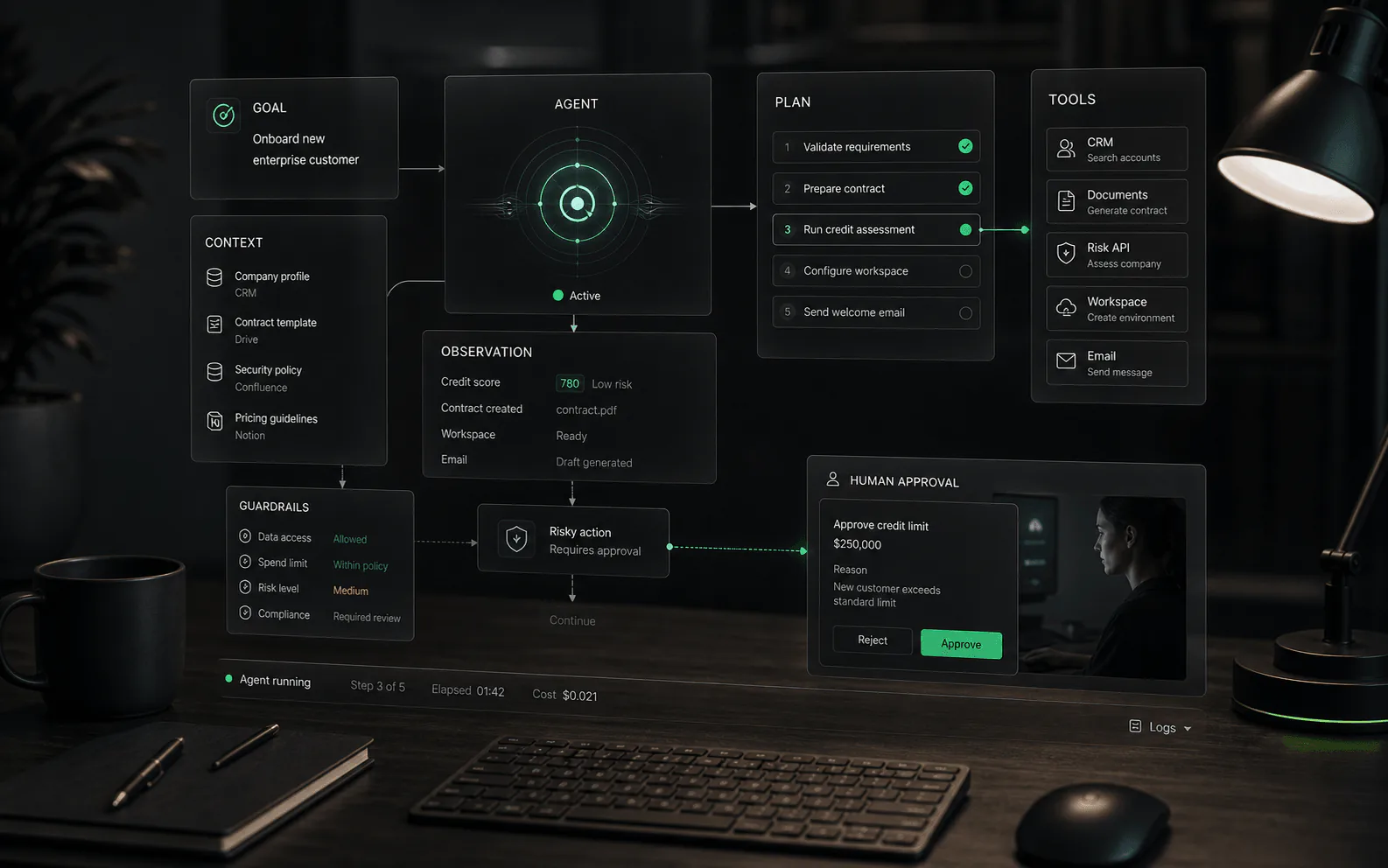
Choose a chatbot when the work is bounded, conversational, and low-risk: answering FAQs, capturing leads, qualifying intent, or routing someone to the right team. Choose an AI agent when the work depends on private context, tool access, workflow state, approvals, audit trails, or a handoff that must include what happened before escalation.
The cleanest distinction is responsibility. A chatbot manages a conversation. An AI agent manages part of an outcome.
Comparison
AI agent vs chatbot: what actually changes
Most vendor pages blur the line. Use this matrix to inspect the product behavior instead of the label.
| Criterion | Chatbot | AI agent | Buyer check |
|---|---|---|---|
| Primary job | Answer, collect, qualify, or route inside a conversation. | Complete or prepare a workflow outcome across steps. | Ask what the system is accountable for after the reply. |
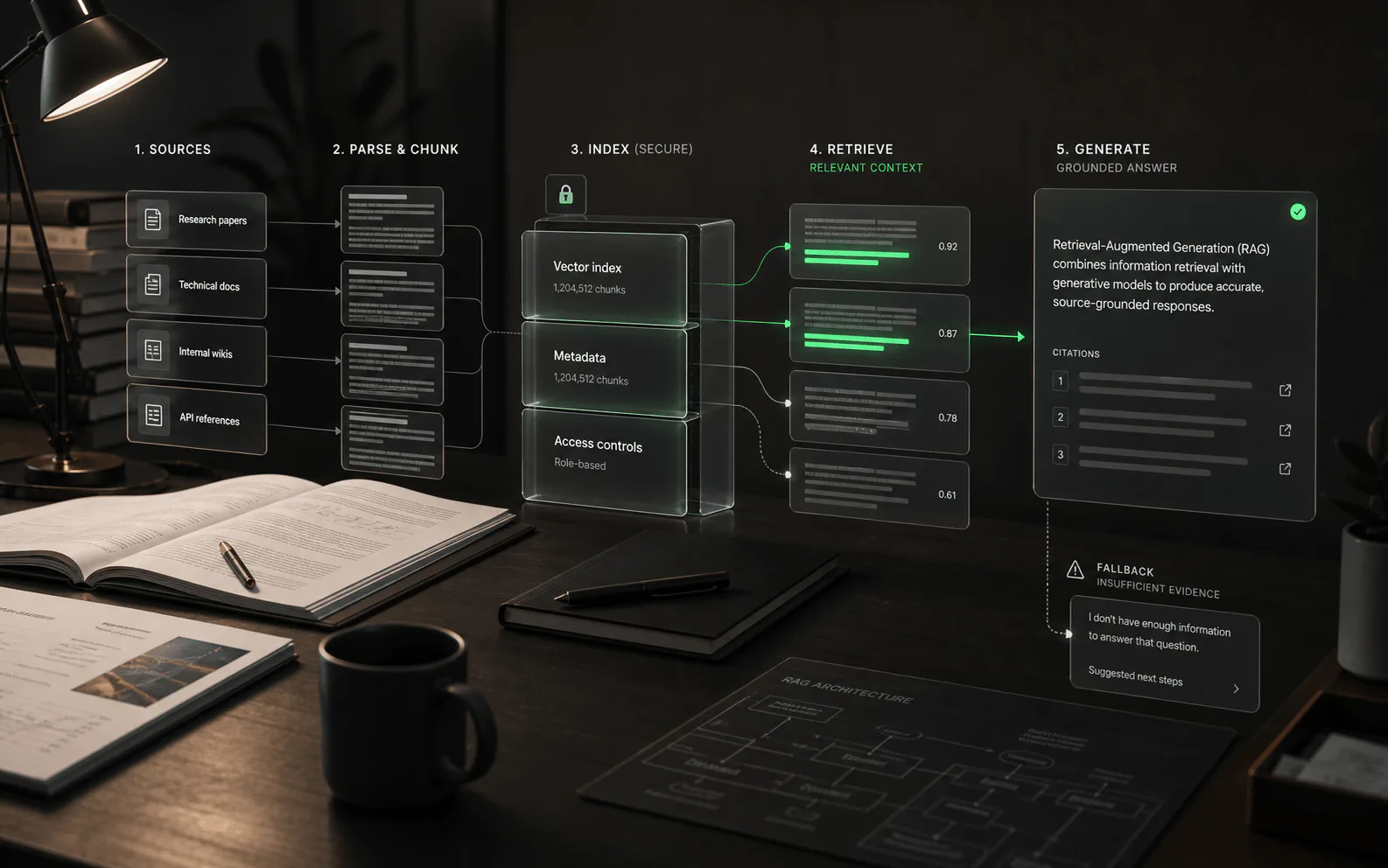
| Knowledge | Public site copy, FAQ content, help center articles, scripted flows. | Approved knowledge plus customer, account, ticket, order, policy, or system context. | Confirm source boundaries, freshness, and permission-aware retrieval. |
| Actions | Usually limited to forms, lead capture, simple routing, or handoff. | Can call tools, create tickets, summarize records, draft updates, trigger workflows, or request approval. | Make the vendor demo real tool calls, not slideware. |
| Decision logic | Intent matching, scripted branches, basic fallback rules. | Multi-step planning within guardrails, policy checks, exception handling, and escalation thresholds. | Test what happens when information is missing or conflicting. |
| Human handoff | Transfers the user when confidence is low or the script ends. | Escalates with transcript, sources used, attempted actions, account context, and next-best step. | Review the handoff packet a support, sales, or ops rep receives. |
| Risk controls | Conversation logs, basic admin settings, sometimes article-level restrictions. | Roles, approvals, audit trails, source traces, action limits, rollback or review paths. | Ask who can approve, stop, edit, export, or review an action. |
| Best metric | Deflection, lead conversion, CSAT, answer rate, handoff rate. | Task completion, escalation quality, source accuracy, action approval rate, cost per resolved workflow. | Measure outcomes, not just conversations. |
When a chatbot is enough
A chatbot is the right choice when the work is repeatable, public, and mostly informational. The point is not to make the bot sound more intelligent. The point is to reduce friction without adding operational risk.
- Website conversion: answer pricing, feature, demo, and contact questions before a form submit.
- Basic support deflection: resolve repetitive questions from a help center without touching customer records.
- Lead capture and qualification: collect company size, use case, email, budget range, and urgency.
- Simple routing: send billing, sales, onboarding, or support requests to the right queue.
- Low-stakes guidance: recommend articles, docs, templates, or next pages without changing anything in a system of record.
If the chatbot cannot answer, the unhappy path should be graceful: admit uncertainty, collect context, and hand off cleanly. A low-risk chatbot that knows its limits is better than a fake agent that pretends it can operate your business.
When you need an AI agent
You need an AI agent when the work crosses from conversation into operations. That shift usually appears when the system must use private data, make tool calls, preserve workflow state, or carry context between teams.
- Account-specific support: answer questions using order status, plan limits, entitlements, invoices, or ticket history.
- Sales and revenue workflows: qualify, enrich, update CRM fields, draft follow-ups, and route high-intent conversations.
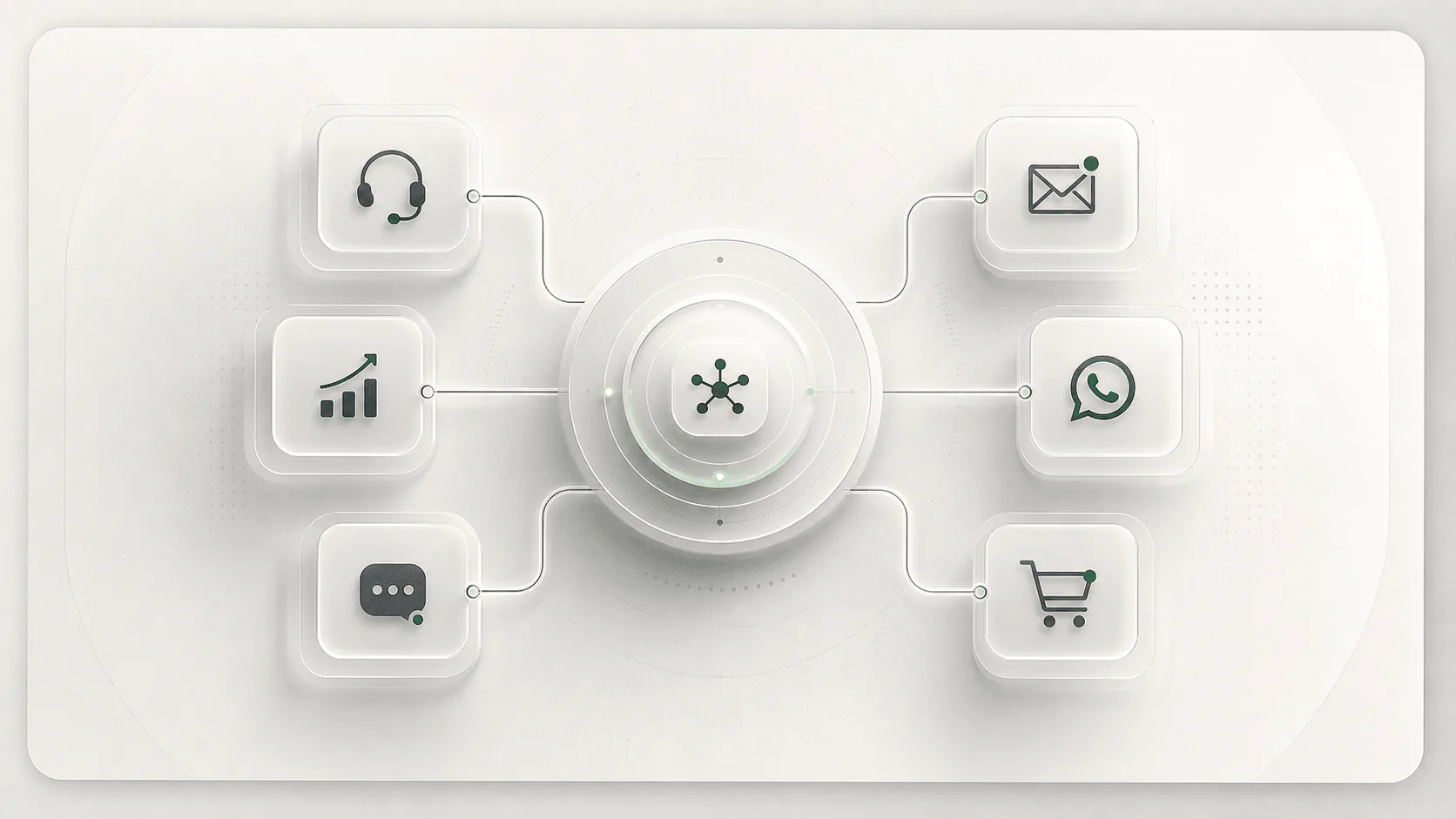
- Omnichannel automation: keep context across web chat, WhatsApp, Instagram, email, and helpdesk handoff.
- Internal knowledge work: retrieve approved policies, summarize long records, and prepare decisions for review.
- Workflow automation: create tasks, open cases, update records, trigger approvals, and notify owners.
The agent does not need unlimited autonomy. In most serious deployments, the best agent is constrained: it knows which actions are allowed, which require approval, and which must go straight to a human.
Decision table
Choose by workflow risk, not category hype
Use this table before you book demos. It keeps the shortlist anchored to the job instead of vendor naming.
| If your use case is... | Start with... | Move to an agent when... | Do not skip... |
|---|---|---|---|
| FAQ and help center answers | Chatbot | Answers depend on user plan, account status, or ticket history. | Source freshness and fallback to a human. |
| Lead capture on a website | Chatbot | The system must enrich leads, assign owners, book meetings, or write CRM notes. | Consent, attribution, and clean field mapping. |
| Customer support automation | AI agent platform | Usually immediately, if support requires account context or ticket actions. | Escalation quality, audit logs, and permission-aware retrieval. |
| WhatsApp or social messaging | AI agent platform | The conversation must continue across channels or update support/sales systems. | Channel rules, opt-in behavior, and human handoff. |
| Internal employee assistant | AI agent with knowledge controls | Employees need answers from private docs, tools, and role-specific data. | RBAC, source traces, and retention policy. |
| Back-office workflow automation | AI agent | The entire value is task completion, not chat response quality. | Approval gates, rollback plan, and exception queues. |
Demo tests that reveal the truth quickly
Do not ask a vendor whether they have agents. Ask them to perform work under realistic constraints. A good demo should expose what the system knows, what it can do, what it refuses to do, and how humans stay in control.
- Source-bound answer: ask a question that requires a specific policy article, then verify the exact source and passage.
- Permission boundary: ask for information the test user should not access. The product should refuse or route correctly.
- Tool call: make it create a ticket, update a field, draft a CRM note, or trigger a workflow in a sandbox.
- Missing context: remove a required data point. The system should ask a precise follow-up rather than inventing.
- Escalation packet: force a handoff and inspect what the human receives: transcript, sources, attempts, account context, and recommended next action.
- Audit trail: export logs for the session and confirm you can see who did what, when, and why.
Implementation checklist
The upgrade from chatbot to agent is not only a model upgrade. It is a systems design project. The page, widget, helpdesk, CRM, knowledge base, approval paths, and analytics all need to agree on what the agent is allowed to do.
Define the job
Name the workflow, owner, allowed actions, blocked actions, and success metric.
Map the data
List every source the system can retrieve from, how freshness works, and which users can access it.
Set action limits
Separate safe actions from approval-required actions and human-only decisions.
Design handoff
Decide when to escalate and what context the human must receive to continue without asking again.
Measure outcomes
Track resolved workflows, escalation quality, failed actions, source accuracy, and cost per outcome.
Review failures
Build a weekly loop for hallucinations, missing knowledge, bad routing, and user complaints.
Where YourGPT fits
YourGPT is better understood as an accessible AI agent platform than as a narrow chatbot widget. It can support public-site conversations, customer support automation, sales qualification, expert product guidance, knowledge automation, omnichannel handoff, and workflow automation in one operating layer.
For teams comparing chatbot builders against agent platforms, the practical question is whether you need a controlled system that can connect knowledge, channels, humans, and business workflows. If yes, evaluate YourGPT alongside agent platforms, not only alongside lightweight FAQ bots.
Buying recommendation
Start with the lowest-responsibility system that solves the problem. If the workflow is public, low-risk, and mostly conversational, a chatbot is faster and easier to govern. If the workflow touches customer records, private knowledge, tool actions, approvals, or multiple channels, buy an AI agent platform and constrain it carefully.
The real mistake is buying a chatbot for operational work, then hiding the gap with more prompts. The second mistake is buying an agent for a job where a well-designed chatbot would have been cheaper, clearer, and safer.
FAQ
Common questions
Is every AI chatbot an AI agent?
No. A chatbot may use AI and still only answer questions. An AI agent usually has more responsibility: retrieving context, following workflow rules, using tools, escalating, or preparing actions.
Can a chatbot become an AI agent?
Yes. A chatbot becomes agent-like when it gains reliable access to approved knowledge, tool actions, permissions, workflow memory, and safe handoff or approval paths.
Which is better for customer support?
For basic FAQs and lead capture, a chatbot may be enough. For account-specific answers, ticket routing, refunds, subscription changes, omnichannel support, or complex escalation, an AI agent platform is usually a better fit.
What should buyers test before trusting an AI agent?
Test source accuracy, permission handling, tool actions, escalation quality, audit logs, fallback behavior, and whether humans can review or stop risky actions before they affect a customer or system of record.
What is the biggest red flag?
The biggest red flag is a product that claims to be an agent but cannot show tool calls, source traces, approval gates, or a useful human handoff packet in a live demo.
Decision checkpoint
Before you shortlist a vendor, map the job.
Use the scorecard after you know which parts should stay conversational, which actions need tools, and where humans must approve or take over.