 Chatbase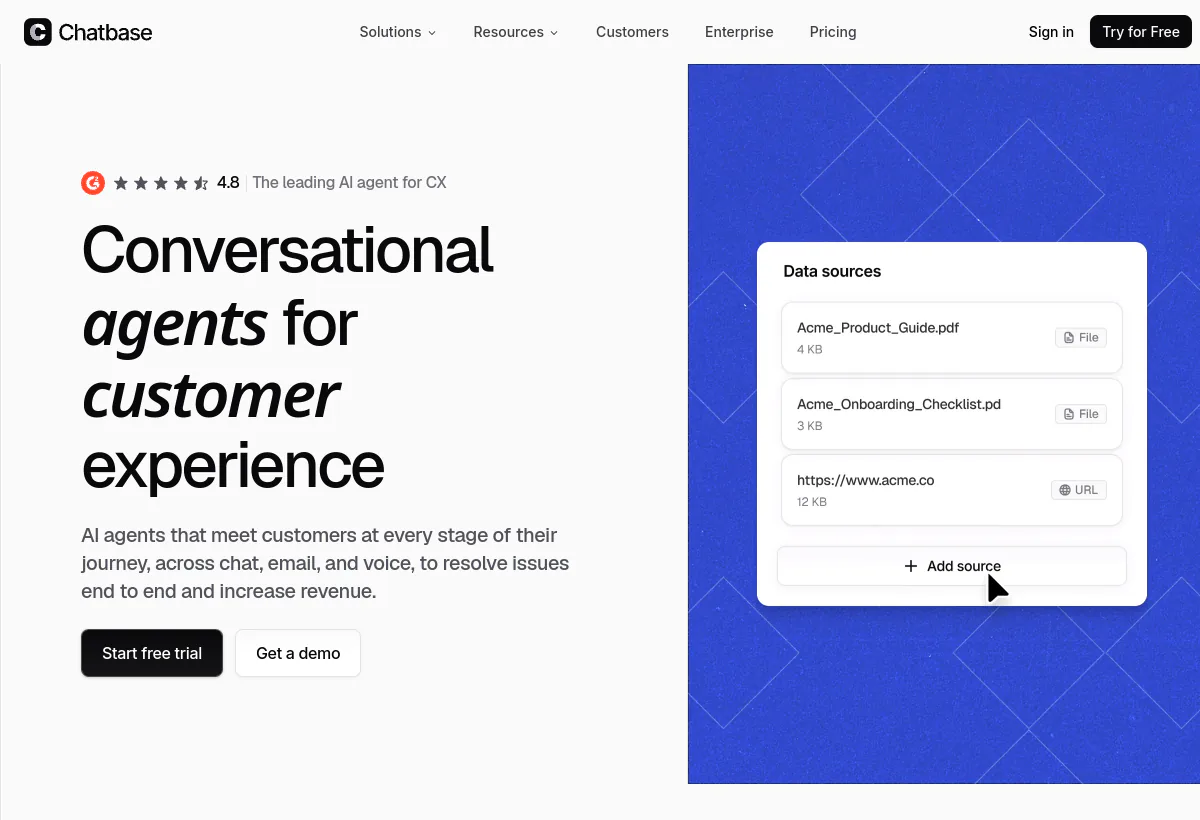
Is Chatbase worth it?
Chatbase is a no-code AI agent builder for customer experience. The official homepage positions it as one agent for support, sales, and product guidance across chat, email, and voice. You connect sources, write instructions and procedures, test in a playground, then publish. Paid plans add AI actions, a helpdesk view, auto-retrain, and advanced model families from OpenAI, Anthropic, Google, DeepSeek, Meta, MoonshotAI, Mistral, and Z.ai.
Best for small and midsize teams that want a branded support agent live in days, not a helpdesk migration. The public rate card on August 19, 2026 starts at $40 per month for Hobby ($32 per month billed yearly) and reaches $500 per month for Pro ($400 per month billed yearly). Free is $0 with 50 message credits and a 14-day inactivity delete. The constraint is not the sticker. It is credit burn, the one-agent default on public plans, and add-ons for extra agents and branding removal.
How we evaluated this
We evaluated Chatbase as a website-first agent builder with optional email, messaging, and voice, not as a full contact center. Scoring weights setup speed, knowledge fidelity, channel quality by plan, action depth, and pricing honesty after credits and add-ons.
We checked the official product page and pricing page on August 19, 2026, including monthly and yearly cards, the compare table, and the three published add-ons. We did not run a multi-week production pilot. Treat vendor quality claims as directional until you score your own tickets.
Pricing calculation to run
The plan card is not the bill: credits, $99 branding, and $25 extra agents
Chatbase publishes a clean ladder. Hobby, Standard, and Pro look cheap next to per-resolution platforms. The bill that hits finance is usually the ladder plus three add-ons plus peak-month auto-recharge. On August 19, 2026 the official add-on row listed auto-recharge at $40 per 1,000 message credits, extra agents at $25 per AI agent per month, and remove "Powered By Chatbase" at $99 per month. Public Free through Pro still include one agent. If you need a second brand, language, or product line, you are not buying another Standard seat. You are buying another agent.
Work the spreadsheet in this order, not the reverse.
- Convert last month's chats, emails, WhatsApp threads, and voice calls into conversations, then into message credits. Do not blend them. Voice and action-heavy threads burn faster than a one-turn FAQ.
- Pick the yearly card if you will stay 12 months: Hobby $32 per month ($384 billed annually), Standard $120 per month ($1,440), Pro $400 per month ($4,800). The monthly card is Hobby $40, Standard $150, Pro $500. That is a 20% yearly discount on the subscription, not on add-ons, unless the vendor confirms otherwise at checkout.
- Add branding removal on day one if a client site or premium brand cannot show the Chatbase badge. At $99 per month that line is 83% of Standard's yearly rate ($120) and more than 3x Hobby's yearly rate ($32).
- Add $25 per extra agent per month for every knowledge base that should not share instructions. Two brands on Standard yearly is $120 + $25, not $240, but you still have one credit pool unless you buy more credits.
- Set an auto-recharge ceiling. Credits purchased this way do not expire, which is useful in a launch week and dangerous if nobody owns a monthly cap. Three top-ups of 1,000 credits are $120 on top of the plan.
Concrete month: Standard yearly at $120, branding removal at $99, one extra agent at $25, and one 3,000-credit recharge at $120. That month costs $364 before tax or channel-provider fees. Older writeups listed extra agents at $300 per year and branding at $1,188 per year, which equal twelve times the monthly add-on prices now on the official page. Cite the live monthly add-on row, and confirm whether yearly billing also discounts add-ons.
Who Chatbase fits best
Strengths
- Fast path to a live agent: connect a site, files, or Notion, write instructions and guardrails, test in the playground, publish a widget.
- Free plan for an active pilot: 50 message credits, 1 agent, 1 MB training size, 1 member. Agents delete after 14 days of inactivity, so treat Free as a working sandbox, not a paused archive.
- Plan-gated channel spread: website chat is the core. Standard adds helpdesk, voice, telephony, outbound campaigns, and API access. Integrations listed on the compare table include Stripe, Zendesk, Salesforce, Intercom, HubSpot, Shopify, Slack, WhatsApp, Messenger, Instagram, Calendly, WordPress, Twilio, and Zapier.
- Actions and procedures: paid plans include AI actions (5 on Hobby, 8 on Standard, 12 on Pro) so the agent can look up an order, collect a lead, or follow a written return procedure instead of only generating text.
- Model menu on paid plans: advanced OpenAI, Anthropic, Gemini, DeepSeek, Meta, MoonshotAI, Mistral, and Z.ai families. Free is limited-model access.
- Security language on the homepage: GDPR, SOC 2 Type II, HIPAA eligibility, encryption in transit and at rest, and a claim that customer data is not used to train shared models. Enterprise adds SSO, audit logs, white-labeling, zero data retention, and SLAs.
Limitations to verify
- Public plans include one agent. Extra agents are $25 per month each. Agencies and multi-brand teams hit this immediately.
- Hobby's 700 message credits per month (up from 500 in older rate cards) is still a small production pool. Standard's 4,000 and Pro's 15,000 are the real operating rungs.
- Training size caps: 1 MB Free, 10 MB Hobby, 20 MB Standard, 40 MB Pro. Long PDF dumps will not fit. Clean the corpus.
- Seats: 1 / 2 / 3 / 5 on Free through Pro. This is not a 40-person inbox product.
- Voice concurrent calls: 10 on Standard, 20 on Pro, per the compare table. Confirm this against your call peaks.
- Helpdesk, voice, telephony, outbound, API, personalization, and auto-retrain start at Standard. Advanced analytics, source suggestions, and tickets-as-a-source start at Pro.
- It is not a replacement for Gorgias on Shopify order macros or for Intercom Fin if Fin resolutions already sit inside your Intercom workflow.
Channel coverage to verify
Chatbase's homepage line is "build once and deploy everywhere": chat, email, and voice. The compare table is more useful than the headline. Coverage on a logo row is not the same as two-way history, attachments, and handoff on your plan.
- Website widget: primary surface. Test mobile render, page-level context, and whether the badge is acceptable without the $99 branding add-on.
- Email: inbound support email is a homepage claim. Confirm thread history, attachments, and which plan actually routes mail.
- WhatsApp, Messenger, Instagram: listed as integrations. Ask whether Meta fees and a business-solution provider sit outside Chatbase, and how handoff works when a DM needs a human.
- Slack and WordPress: listed. Useful for internal or site-embedded use. Verify workspace permissions and theme behavior.
- Voice and telephony: Standard and Pro. Check concurrent-call caps (10 / 20), transcript quality, and transfer to a human.
- API: Standard and higher. Required if you embed inside an authenticated app rather than a public marketing site.
Ask the vendor to send a WhatsApp message on your test number, escalate it, and show the human the transcript.
Workflow execution and handoff
The product is no longer sold as a FAQ widget. Procedures are written in plain language with actions in the steps: look up the order, confirm the item, check the return window, then refuse or route. Widgets can show interactive components (the homepage demo uses a shipment tracker) instead of a paragraph. That only matters if the action hits a live system. A procedure that cannot call Shopify or Stripe will still invent a tracking story from a PDF.
Handoff sits in a helpdesk view that Standard includes. Configure triggers for low confidence, billing and refund language, VIP keywords, and explicit "talk to a person" requests. The human should receive transcript, identity, attempted answer, and reason for escalation. If they do not, you have bought deflection, not a support agent.
- Website FAQ and product-guidance deflection from help-center pages.
- Lead capture and meeting booking through Calendly-class actions.
- Ecommerce: order status, returns eligibility, and product lookup, only after the Shopify or Stripe action is proven on your catalog.
- Email and voice on Standard-plus, after you measure credit burn on those channels separately.
Pricing checked August 19, 2026
Chatbase pricing: Free to $500 per month, 20% off yearly
The official pricing page shows monthly stickers with a yearly toggle at 20% off. Message credits are the usage gate. Hobby now includes 700 credits per month. Standard includes 4,000. Pro includes 15,000. Every public paid plan still includes one agent unless you buy extras. Enterprise is sales-led.
| Plan | Public price | Included capacity / meter | Best fit |
|---|---|---|---|
| Free | $0/mo | 50 message credits, 1 agent, 0 AI actions, 1 MB training, 1 member. Agents delete after 14 days of inactivity. | Active sandbox for one site, not a paused archive |
| Hobby | $40/mo$32/mo billed yearly ($384/yr) | 700 message credits, 1 agent, 5 AI actions, 10 MB, 2 members, basic analytics, attachments, integrations, advanced models | Solo operators proving actions on low traffic |
| Standard | $150/mo$120/mo billed yearly ($1,440/yr) | 4,000 message credits, 1 agent, 8 AI actions, 20 MB, 3 members, helpdesk, voice, telephony (10 concurrent calls), outbound, API, auto-retrain, advanced integrations | Small teams running chat plus voice or light automation |
| Pro | $500/mo$400/mo billed yearly ($4,800/yr) | 15,000 message credits, 1 agent, 12 AI actions, 40 MB, 5 members, 20 concurrent calls, advanced analytics, source suggestions, tickets as a source | Midsize volume that still fits one agent and a credit pool |
| Enterprise | Customsales-led | Higher limits, flexible billing, custom roles, SSO, white-labeling, audit logs, priority support, CSM, SLAs, HIPAA-eligible, zero data retention | Procurement, governance, and custom limits |
Source: Chatbase official pricing page, checked August 19, 2026. Confirm the live toggle for monthly vs yearly, taxes, and whether add-ons discount on annual billing.
Add-ons on the same page
Free accounts must move to a paid base plan before any add-on. The page lists three self-serve add-ons with monthly prices.
| Add-on | Public price | Included capacity / meter | Best fit |
|---|---|---|---|
| Auto recharge credits | $40 per 1,000 message credits | Adds credits that do not expire when balance falls below your threshold | Launch weeks and seasonal spikes, if you set a monthly ceiling |
| Extra agents | $25 per AI agent / month | Agents beyond the one included on public plans | Separate brands, languages, or product lines |
| Remove "Powered By Chatbase" | $99 per month | Removes Chatbase branding from the deployed agent | Client sites and any brand that treats the badge as a non-starter |
Source: add-on row on chatbase.co/pricing, August 19, 2026. We did not see a separate yearly add-on card on that snapshot. Do not assume the 20% plan discount applies to add-ons.
AI capability, grounding, and failure modes
Chatbase is a retrieval-plus-instructions agent. You choose a model, attach sources, write procedures and guardrails, and test in a playground. The homepage builder on August 19, 2026 showed Claude Sonnet 4.6 as an example model with procedures that call lookup_order. That is the right shape. It is not proof that your return policy will execute.
Accuracy is still buyer-owned. Chatbase can constrain replies to verified sources and escalate on low confidence. It cannot invent a missing policy or a live order state. Four failure modes to score in a pilot:
- Hallucination: the model states a policy that is not in your sources. Constrain to sources and force "I do not know" when retrieval is empty.
- Stale knowledge: last quarter's return window is still indexed. Auto-retrain starts at Standard. Someone still has to own the source of truth.
- Partial retrieval: the bot finds the returns page and misses a buried clause. Structure sources as short headed sections, not 40-page PDFs.
- No live system: "where is my order" needs Shopify, Stripe, or an API action. Documentation cannot answer it.
Measure repeat-contact within 48 hours, AI-handled CSAT versus human CSAT, and unknown-query logs. Chatbase does not publish an independent hallucination rate for your industry. Your 50-question sample is the only number that should decide a buy.
Feature areas to verify
Ask the vendor to show each item on your data, not a canned agent: no-code builder (instructions, procedures, guardrails, widgets); sources including URLs, documents, Notion, YouTube, and on Pro tickets as a source; AI actions (5 / 8 / 12 by paid plan) against Shopify, Stripe, Calendly, or your API; playground and Backstage debugging; helpdesk on Standard+; auto-retrain on Standard+; analytics basic on Hobby and advanced on Pro.
Analytics and operating visibility
Hobby includes basic analytics. Pro adds advanced analytics, source suggestions, and tickets as a source. Confirm export of transcripts, unknown queries, credit burn by model, and channel mix. Keep helpdesk CSAT and repeat-contact even after go-live. Do not let the vendor dashboard become the only scoreboard.
Security, data handling, and compliance
The Chatbase homepage on August 19, 2026 lists GDPR, SOC 2 Type II, and HIPAA, plus encryption in transit and at rest, and a statement that customer data is not used to train models. Enterprise adds SSO, audit logs, custom roles, white-labeling, zero data retention, and HIPAA eligibility. Request the reports in writing.
- Request the latest SOC 2 report, DPA, subprocessors, and retention schedule.
- Confirm the "not used to train models" statement covers both Chatbase and the underlying LLM providers on your selected models.
- Map seats to roles. Pro has five members. Enterprise custom roles matter once legal, support, and marketing all touch the agent.
- If you handle PHI, do not assume the public Pro plan is HIPAA-eligible. The compare table places HIPAA eligibility on Enterprise.
What questions should you ask before buying Chatbase?
- Can you score 50 of our real tickets with source-only answering, including forced unknowns?
- How many message credits will our mix of web, email, WhatsApp, and voice consume on the model we actually want?
- Which channels in our target plan are native, and which need a Meta or telephony provider with separate fees?
- Show a live Shopify or Stripe action failing safely, with the reason visible to a human.
- What does the helpdesk handoff contain: transcript, identity, attempted action, and trigger?
- What is the live price, monthly and yearly, for branding removal and a second agent?
- How does auto-recharge cap, and do those credits expire? (The page says they do not.)
- Who on our side owns weekly unknown-query review after go-live?
What red flags should you watch for with Chatbase?
- The demo uses a canned catalog and will not load your PDFs, tables, or multi-language help center.
- Pricing talk stays on $32 / $120 / $400 yearly and never includes $99 branding, $25 extra agents, or $40 per 1,000 auto-recharge.
- Voice, WhatsApp, or API is described as "available" without naming the plan gate (Standard for those three).
- No forced "I do not know" path and no low-confidence handoff in the sandbox.
- Nobody is named as the weekly knowledge owner. Accuracy will decay after the first policy change.
- You need SLA ticketing, custom roles, or HIPAA paperwork on a public Pro plan. Those sit on Enterprise in the public table.
What are the best alternatives to Chatbase?
Pick by operating home and cost shape, not by a ranked feature list.
- YourGPT AIChoose YourGPT when you need omnichannel coverage and multi-step actions across WhatsApp, email, and web, and you can staff workflow setup.
- Intercom FinChoose Fin when the team already lives in Intercom and you prefer resolution-priced AI on top of the existing inbox and articles.
- SiteGPTChoose SiteGPT when you want a message-quota website bot with public citations and staged auto-refresh, and you can live without Chatbase's voice and procedures surface.
- TidioChoose Tidio when live chat plus a lighter chatbot, speed, and a lower operational burden matter more than model menus and procedures.
- GorgiasChoose Gorgias when Shopify order context, macros, and revenue-aware support are the job, not a standalone website agent.
Workflow test
What Chatbase needs to prove in a real support workflow
A polished widget is not a buy. Run this four-step sandbox on your content before annual billing.
- Ground the answer.Train on the live help center and the five PDFs that actually drive tickets. Ask 50 real questions. The agent should cite or refuse. Count grounded correct, not "bot replied."
- Take the action.Run one order lookup or booking in a sandbox. It should update the connected system or fail with a reason. A generated tracking paragraph is a fail.
- Apply the guardrail.Force a refund, legal, or VIP case. Confirm the handoff trigger, the blocked action, and an audit trail a supervisor can read.
- Hand off with context.The human must see transcript, customer identity, attempted answer, and why it escalated, without making the visitor repeat the story.
Related reading
Related reading
Official sources to verify
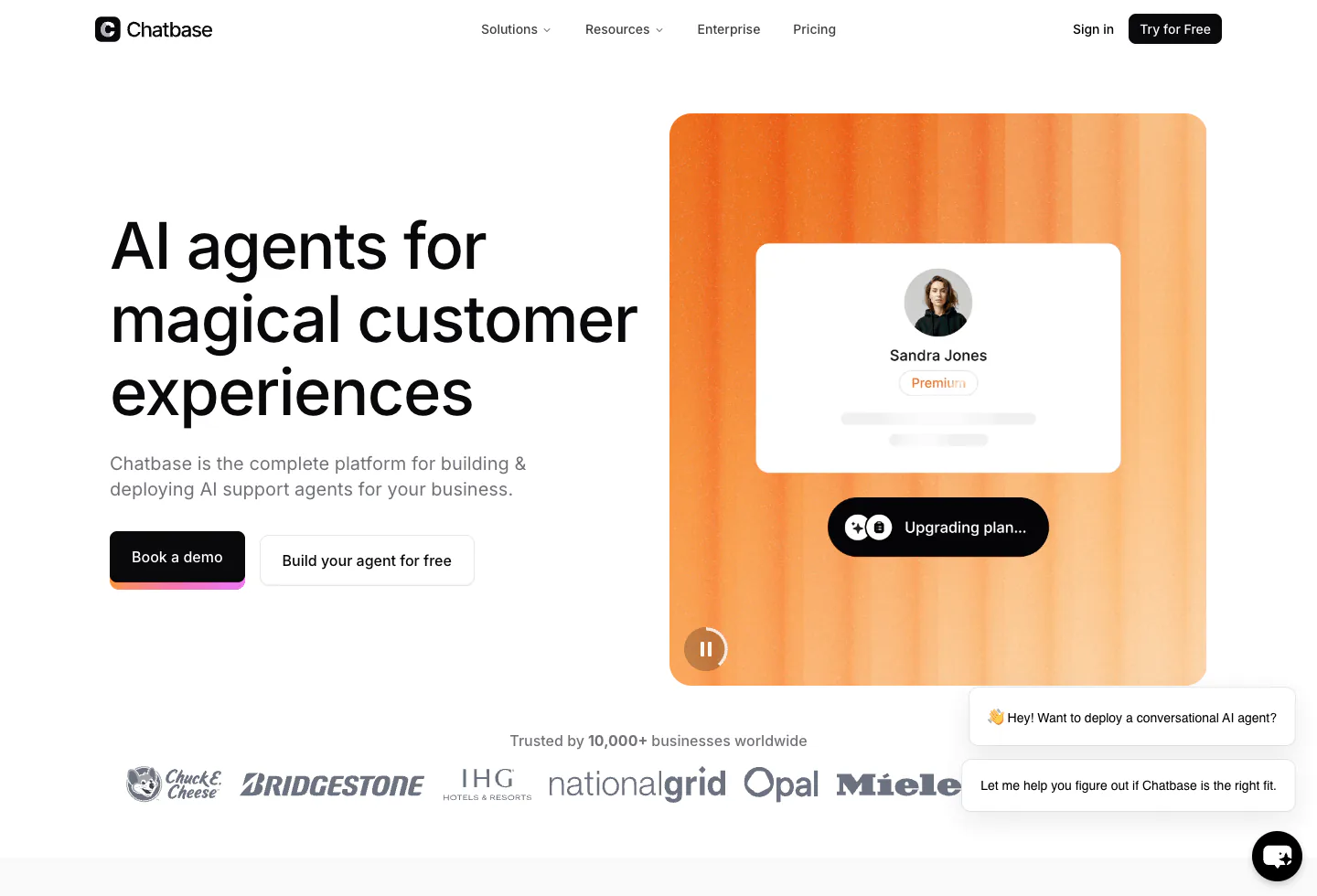 Official Chatbase product pageSource snapshot 2026-08-19 - chatbase.coPositioning, channels, security claims, and product suite checked against the vendor's own product surface.
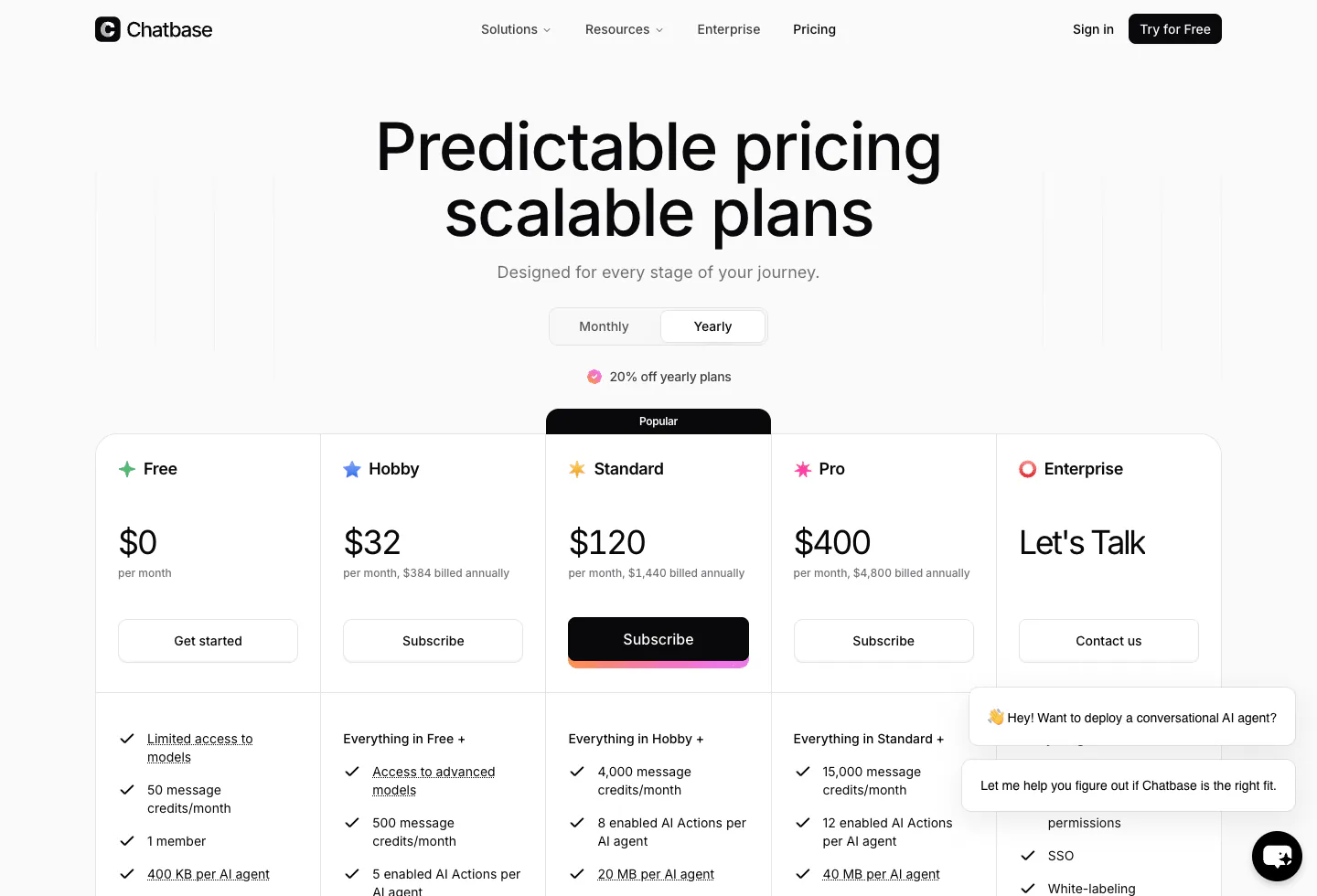 Official Chatbase pricing pageSource snapshot 2026-08-19 - chatbase.coMonthly and yearly plan cards, compare table, and published add-ons.
Official product demo
See the Chatbase platform before you trust the claims
This official Chatbase film is a product tour, not independent proof of resolution rates or credit burn. Repeat it on your catalog.
View on YouTube and ask the vendor to repeat the workflow with your own policies, integrations, and failure cases.
Claim and source ledger
What this profile is based on
Official Chatbase homepage and pricing page captured August 19, 2026, including monthly and yearly plan stickers, the compare table (credits, actions, training size, seats, concurrent calls, feature gates), the three public add-ons, channel and integration lists, and published security language (GDPR, SOC 2 Type II, HIPAA eligibility, no training on customer data). Existing on-site screenshots of the product and pricing pages are retained as source cards.
What we did not verify
We did not measure credit burn on a live catalog, audit the SOC 2 report, test WhatsApp or voice on a production number, or confirm whether yearly billing discounts add-ons. We did not independently benchmark hallucination rates. Concurrent-call figures (10 on Standard, 20 on Pro) come from the public compare table and should be re-checked in a demo. Hobby's 700 monthly credits replace older public figures of 500. Confirm at checkout.
How we scored fit
Editorial fit weights setup speed, knowledge fidelity, channel quality by plan, action depth, and 12-month cost after credits and add-ons. It is not a performance benchmark, a star average, or a vendor score.
Should you choose Chatbase?
Choose Chatbase when the job is a branded website agent, with email or voice on Standard or Pro, trained on content you already maintain, and when you can live with one included agent plus credits. The August 19, 2026 public card is Free, Hobby $40 or $32 yearly, Standard $150 or $120 yearly, Pro $500 or $400 yearly, then Enterprise custom. The real budget is that card plus $99 branding, $25 per extra agent, and $40 per 1,000 auto-recharge credits when volume spikes. Skip it for a Shopify helpdesk of record, Intercom-native resolutions, or Zendesk-class SLA governance on day one, and skip it if nobody will own weekly unknown-query cleanup. Run the four-step workflow test and a peak-month credit model before annual billing.
FAQ
Common questions
How much does Chatbase cost in 2026?
August 19, 2026 public monthly card: Free $0, Hobby $40, Standard $150, Pro $500, Enterprise custom. Yearly at 20% off: Hobby $32 per month ($384 per year), Standard $120 ($1,440), Pro $400 ($4,800). Add-ons: auto-recharge $40 per 1,000 credits, extra agents $25 per agent per month, branding removal $99 per month.
How do Chatbase message credits work?
Monthly credit pools: 50 Free, 700 Hobby, 4,000 Standard, 15,000 Pro. Advanced models and action-heavy conversations consume credits faster than simple Q&A. Auto-recharge credits at $40 per 1,000 do not expire. Subscription credits renew with the billing cycle.
Does Chatbase include more than one AI agent?
Public plans include one agent. Extra agents are $25 per AI agent per month when brands or languages should not share a knowledge base.
Is removing Chatbase branding expensive?
Relative to Hobby and Standard, yes. The official page lists $99 per month to remove "Powered By Chatbase." That is more than three times Hobby's yearly rate and most of Standard's yearly rate. Budget it before you embed a client-facing widget.
Does Chatbase hallucinate?
Any retrieval agent can invent a confident answer when sources are empty, contradictory, or stale. Chatbase gives you source constraints, procedures, guardrails, confidence-based handoff, and live actions. It does not remove the need for clean content and a weekly review of unknown queries. Score 50 real tickets before you trust production traffic.
Which plan do I need for voice, API, and helpdesk?
The public compare table places helpdesk, voice, telephony, outbound campaigns, API access, personalization, auto-retrain, and advanced integrations on Standard and above. Advanced analytics, source suggestions, and tickets as a source sit on Pro. Concurrent voice calls are listed as 10 on Standard and 20 on Pro.
Chatbase vs YourGPT AI: which should I choose?
Choose Chatbase for a faster, cheaper website-first agent with a published credit ladder and light actions. Choose YourGPT AI when you need broader omnichannel coverage and multi-step workflows as the default, not an add-on path.
Who should skip Chatbase?
Skip it if you need deep ticketing SLAs, a Shopify-native helpdesk, or more than a handful of seats on a public plan. Skip it if you cannot staff a weekly accuracy loop. Free is also the wrong home for a paused project: inactive agents delete after 14 days.
Also review