Chaindesk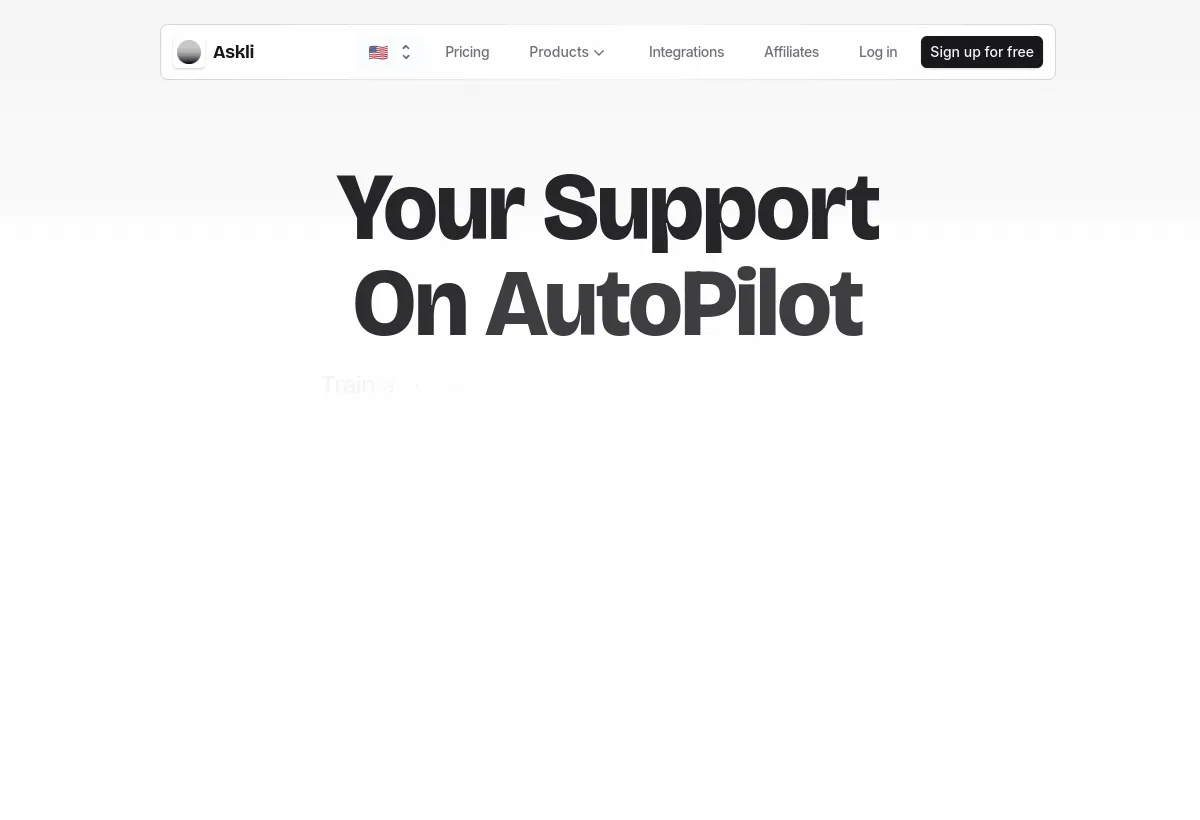
Is Chaindesk worth it?
Chaindesk, sold on chaindesk.ai as Askli, is a no-code chatbot builder. The vendor walkthrough is import data, customize the agent persona, deploy a widget or a listed integration, then monitor conversations and take over when needed. Knowledge sources include websites, Notion, Google Drive, YouTube, Microsoft Word, PowerPoint, Excel, and PDFs. Deploy targets listed on the integrations page include website, WhatsApp, Slack, Crisp, Zapier, Zendesk, WordPress, Shopify, Telegram, and Messenger.
Best for small and midsize teams that want a branded site bot without a developer sprint. It is not a Zendesk replacement and not a proof that "instantly resolve 80% of your support queries" will hold on your catalog. That 80% line is vendor marketing on the homepage. Your ticket mix, source quality, and credit economics decide the real rate.
How we evaluated this
We evaluated Chaindesk as a website chatbot with listed messaging connectors, not as an advanced action agent. Scoring weights knowledge-source coverage, deployment speed, channel quality versus the logo list, handoff, and credit predictability, plus a sixth practical check: whether the Askli rebrand leaves billing, support, and DPA language clear enough for procurement.
We read the official homepage, pricing page, and integrations page on August 19, 2026. We did not run a production pilot. File-size figures on the pricing page look internally inconsistent (see pricing). Treat them as display text to confirm in-app, not as a storage architecture claim.
Consult Official Chaindesk / Askli product page, Official Askli pricing page, Official integrations page for product documentation and plan details. Confirm the terms that apply to your purchase.
Pricing calculation to run
Credits are quoted on gpt-4o-mini, and Free to Growth is a 100x jump
Askli's public ladder is not a smooth volume curve. Free includes 200 message credits per month with gpt-4o-mini. Growth jumps to 20,000 credits for $49 per month. Pro is 40,000 for $99. Enterprise is 400,000 for $499. If your honest pilot needs 2,000 credits, you still pay Growth. If a campaign week needs 25,000, Pro is the next public rung. There is no published mid-tier between 200 and 20,000, and the pricing FAQ does not list a self-serve overage pack the way Chatbase lists $40 per 1,000 auto-recharge credits.
Two more numbers change the model.
- Model mix is unpublished as a multiplier. Credits are labeled "with gpt-4o-mini." The same page advertises GPT-4 access, and a pricing FAQ tells users to switch to GPT-4-turbo when the agent ignores instructions. You should assume GPT-4 burns the pool faster. The vendor does not publish the ratio on the public card. Measure it in the trial with the model you will actually ship.
- Yearly billing saves 20%. That is the FAQ wording. The plan tiles we captured still showed $0 / $49 / $99 / $499 monthly. Compute Growth as about $39.20 per month equivalent if the 20% applies to that sticker, then confirm the invoice. Do not enter $39.20 as a published tile. It is arithmetic on the FAQ, not a second rate card.
- Free work can vanish. Agents and datastores delete after 14 days of inactivity on Free. A paused evaluation is not an archive. Export sources before you walk away for two weeks.
- Seats flip from zero to ten. Free includes no team seats. Growth includes 10, Pro 25, Enterprise 200. The first paid plan is therefore both a credit jump and a collaboration jump.
Worked month: 8,000 gpt-4o-mini credits of real traffic, two agents, Notion plus a 200-page help center. That load does not fit Free (200 credits, 25 pages, 1 agent). It fits Growth ($49, 20,000 credits, 2 agents, 250 pages) with headroom, unless you switch the agent to GPT-4 and watch the pool collapse. If GPT-4 costs even 5x mini in practice, 8,000 mini-equivalent conversations become 40,000 credits and you are on Pro at $99. Run that experiment for seven days before you pick a tile. WhatsApp or Zendesk fees, if any, sit outside this math until the vendor shows you a single invoice.
Who Chaindesk fits best
Strengths
- No-code loop: import, persona, deploy, monitor. Non-technical operators can train a bot without an engineering ticket.
- Source breadth: website, Notion, Google Drive, YouTube, Word, PowerPoint, Excel, PDF. Useful when the real answers live in a mixed Drive folder rather than a single help center.
- Auto-sync on paid plans: the FAQ says retraining runs automatically (currently every week) from the first paid plan, with a manual trigger available.
- Deploy list: website widget plus WhatsApp, Slack, Crisp, Zendesk, WordPress, Shopify, Telegram, Messenger, Zapier.
- Shared inbox, conversational forms, email inbox, function calling, lead capture are all on the product pages. Depth varies. Test the ones you will use.
- France-based vendor language: the site says it was founded in France and encrypts data in transit and at rest. GDPR-minded buyers still need a DPA, not a tagline.
Limitations to verify
- Askli rebrand: chaindesk.ai loads Askli. App links on the site also point at app.askli.co and app.chaindesk.ai. Confirm the legal entity, invoice name, and support mailbox in writing.
- 80% resolution is a homepage claim, not a measured result for your tickets.
- Not a helpdesk: shared inbox and Zendesk or Crisp connectors are not SLA, CSAT, and occupancy tooling.
- Free is a trap for paused work: 14-day inactivity delete, 200 credits, 25 pages, no team seats.
- File-size copy looks wrong: Free lists "File upload limited to 20,000 MB / file" and Growth "30,000,000 MB / file." Those figures are not credible as written. Confirm real limits in the product.
- Function calling needs developers and guardrails. Do not treat the feature name as Shopify refund automation.
Channel coverage to verify
The integrations page splits train sources from deploy surfaces. Coverage on a logo row is not two-way history. Ask which items are native plugins, which need a third-party account, and which only fire a webhook.
- Website widget: the default. Test mobile, branding (paid plans list "Remove Askli branding"), and whether page context changes the answer.
- WhatsApp Business: listed as a deploy integration. Confirm BSP, Meta fees, and whether takeover lands in the same inbox as web chat.
- Messenger and Telegram: listed. Check group versus 1:1 behavior and rate limits.
- Slack: internal or community bots. Verify thread handling.
- Crisp and Zendesk: "connect" is not "the bot becomes your ticket system." Test whether it creates or updates tickets or only replies in a session.
- WordPress and Shopify: plugin deploys. Check theme compatibility and whether cart or order context is actually available, or only storefront copy.
- Zapier: listed as 5,000+ apps. The value is the specific trigger and action, not the directory count.
Workflow execution and handoff
Askli is a question-answering and lead-capture bot with optional function calling. The advertised loop is: visitor asks, the agent retrieves from connected datastores, it answers or collects a form, a human takes over from the shared inbox when needed. That is a chatbot operating model. It is not the refund-and-reschedule workflow YourGPT AI sells, unless you build and guardrail those API calls yourself.
Handoff is a first-class homepage claim: take over the AI chatbot, assign conversations, keep going. Configure rules for low-confidence answers, billing language, and explicit human requests. If the inbox does not show the source snippet the bot used, you cannot tell a hallucination from a bad page.
- Website FAQ deflection from help-center and Notion sources.
- Lead capture through conversational forms while the visitor is still asking product questions.
- Email inbox assistance, as a separate product surface on the site. Confirm volume limits before you point MX or forwarding at it.
- Function calling on higher-effort setups: custom API endpoints with a human-readable failure path.
Pricing checked August 19, 2026
Chaindesk (Askli) pricing: $0 to $499 per month
Four public tiles. Credits are labeled with gpt-4o-mini. Annual billing is described as 20% off in the FAQ, while the tiles we captured showed monthly prices. Dedicated support and "Remove Askli branding" appear on the paid tiles. Free includes GPT-4 access in the copy, which is worth verifying because the credit line is still mini-denominated.
| Plan | Public price | Included capacity / meter | Best fit |
|---|---|---|---|
| Free | $0/mo | 200 message credits/month (gpt-4o-mini), 1 agent, 1 datastore, 20,000 words, website loader 25 pages, GPT-4 access listed, no team seats. Agents and datastores delete after 14 days of inactivity. | Short, active pilots only |
| Growth | $49/mo | 20,000 credits, 2 agents, 2 datastores, 30,000,000 words, 250 pages, 10 seats, auto-sync, branding removal, dedicated support | Small teams with one or two site bots |
| Pro | $99/mo | 40,000 credits, 5 agents, 5 datastores, 60,000,000 words, 1,000 pages, 25 seats, auto-sync, branding removal, dedicated support | Multiple bots or higher volume on the same credit model |
| Enterprise | $499/mo | 400,000 credits, 100 agents, 100 datastores, 300,000,000 words, 10,000 pages, 200 seats, dedicated support. Custom work is a separate contact path. | Multi-brand chatbot estates that still fit this product |
Source: chaindesk.ai/pricing, checked August 19, 2026. Confirm yearly 20% at checkout. File-upload megabyte figures on that page look like display errors. Confirm in-app. Overage prices were not published on the tiles we captured.
AI capability and knowledge setup
The default credit meter is gpt-4o-mini. GPT-4 is listed on every public plan, and the FAQ recommends GPT-4-turbo when instructions are ignored. Quality still follows the corpus. Duplicate Notion pages, old PDFs, and conflicting price tables will produce confident wrong answers regardless of model.
- Datastores per plan (1 / 2 / 5 / 100) cap how you isolate brands or languages.
- Website loader page caps (25 / 250 / 1,000 / 10,000) matter more than word-storage headlines for most marketing sites.
- Auto-sync is weekly on paid plans per the FAQ, with a manual retrain. That is slower than a daily scan on some peers. Policy changes can sit stale for days.
- Safeguards are advertised as keeping answers on the knowledge base. Ask to see the refusal path when retrieval is empty.
- Multilingual copy on the site claims the bot can answer in languages other than the site language. Test your actual locales.
Feature areas to verify
- No-code agent builder, persona, and goals.
- Datastore import from site, Notion, Drive, YouTube, Office files, PDF.
- Website embed and listed messaging plugins.
- Shared inbox, assignment, human takeover.
- Conversational forms and lead capture.
- AI email inbox as a separate surface.
- Function calling to custom APIs.
- Branding removal on paid tiles.
- Team seats from Growth upward.
Analytics and operating visibility
The homepage's fourth step is "Monitor conversations across all channels." That is an inbox, not a workforce-management suite. You should still walk out of a trial with four exports or dashboard views: credit burn by day and by model, conversation volume by channel, takeover rate, and a list of questions the agent refused or got wrong.
If those views do not exist, you cannot tell whether Growth's 20,000 mini credits will survive a launch week, and you cannot tell whether the 80% claim is happening. Pair Askli's inbox with your existing helpdesk CSAT and repeat-contact metrics. Do not let "conversations handled" become the only number leadership sees.
Security, data handling, and compliance
Published language is thin compared with SOC 2 Type II homepages on some peers. The product site says data is encrypted in transit and at rest on secure servers, and that the company was founded in France. That is a start for GDPR conversations. It is not a completed review.
- Request privacy policy, terms, DPA, subprocessors, and a written statement on training of shared models from customer chats and uploaded files.
- Confirm what happens to Free-plan data after the 14-day inactivity delete, and what happens on paid cancellation.
- Map seats (0 / 10 / 25 / 200) to who can edit datastores versus who can only reply.
- If you need SOC 2, HIPAA, or residency controls, ask for current reports. Do not infer them from encryption copy.
What questions should you ask before buying Chaindesk?
- Is the contracting entity Askli, Chaindesk, or something else, and which domain is the system of record for billing?
- Can you score 20 of our real questions from our Notion and site sources, with citations?
- How many credits does GPT-4 or GPT-4-turbo consume versus gpt-4o-mini on the same prompt?
- What happens when we exceed the monthly credit allowance? Is there a pack, a hard stop, or a forced upgrade?
- Show a WhatsApp or Zendesk conversation taken over in the shared inbox with the full transcript.
- What is the real file-size and page-count limit in the product, not the megabyte figures on the pricing tiles?
- How often does auto-sync run on our connected Drive, and what happens when a page is deleted?
- Can we export conversations and credit usage to our own warehouse?
What red flags should you watch for with Chaindesk?
- The vendor cannot name the legal entity on the invoice or produce a DPA that matches the brand on the widget.
- The demo cannot show source-grounded answers from your PDFs or Notion databases.
- Pricing talk ignores GPT-4 burn and pretends 20,000 mini credits equal 20,000 GPT-4 turns.
- WhatsApp or Shopify is on the logo wall but needs a third-party bill and has no order-context actions.
- Free is used as a long-term sandbox. The 14-day wipe will delete the work.
- Nobody owns weekly failed-answer review. Auto-sync will happily retrain on a wrong page.
What are the best alternatives to Chaindesk?
Choose by credit versus message economics, and by whether you need a helpdesk or only a site bot.
- ChatbaseChoose Chatbase when you want a more established website-agent ladder, published add-ons, and optional voice on Standard, and you can live with one included agent plus extras.
- SiteGPTChoose SiteGPT when you prefer message quotas, public citations, and staged auto-refresh over an Askli credit pool.
- YourGPT AIChoose YourGPT when the job is omnichannel actions, not a site FAQ bot with a long integration logo list.
- TidioChoose Tidio when live chat plus a lighter bot, and a simpler ownership model, matter more than Notion-trained retrieval.
- GorgiasChoose Gorgias when Shopify order context and a real ecommerce helpdesk are the system of record.
Workflow test
What Chaindesk needs to prove in a real support workflow
Do not buy from the Askli homepage animation. Run this in a trial with your own datastore.
- Ground the answer.Connect the live help center plus the Notion database that actually holds policy. Ask 20 real tickets. The bot should cite a source or refuse. Count grounded correct.
- Burn credits on the production model.Replay the same 20 questions on gpt-4o-mini and on GPT-4. Write down credits consumed. That ratio is your plan selector, and it is not on the public card.
- Take over.Force a billing question. A human in the shared inbox must see the transcript and the source, then reply on web and, if you need it, on WhatsApp without restarting the story.
- Survive a content change.Edit a policy page, wait for weekly auto-sync or trigger a retrain, and confirm the old answer is gone. If it is not, you do not have a knowledge system.
Related reading
Related reading
Claim and source ledger
What this profile is based on
Official chaindesk.ai homepage, pricing page, and integrations page as of August 19, 2026, including Askli branding, plan tiles ($0 / $49 / $99 / $499), credit and seat numbers, the 14-day Free inactivity rule, the yearly 20% FAQ, and listed train/deploy integrations. No on-disk source screenshots exist for this tool, so source cards are links only.
What we did not verify
We did not measure GPT-4 versus gpt-4o-mini credit burn, test WhatsApp or Zendesk two-way quality, audit encryption or French data residency, or obtain a DPA. File-upload MB figures on the pricing tiles look like display errors. The 80% resolution line is vendor marketing. App URLs mix app.askli.co and app.chaindesk.ai. Confirm the live billing entity.
How we scored fit
Fit weights source coverage, time-to-live widget, channel quality versus logos, handoff, credit predictability, and rebrand/procurement clarity. It is not a benchmark or a star average.
Should you choose Chaindesk?
Choose Chaindesk/Askli when you need a no-code site bot on Notion, Drive, and pages, you can live on Growth at $49 per month (20,000 mini credits) or Pro at $99, and you will confirm the legal name on the invoice. The product is a chatbot with a shared inbox and a long connector list. It is not a contact center.
Skip it if the Askli rebrand makes procurement nervous, if you need Shopify-native order macros, or if you need omnichannel actions without writing function calls. Run the four-step workflow test, measure GPT-4 burn, and export your work before any Free-plan pause that might hit the 14-day delete.
FAQ
Common questions
Is Chaindesk the same as Askli?
As of August 19, 2026, chaindesk.ai presents the product as Askli. Pricing, app, and marketing use both names. Treat them as the same service until a contract says otherwise, and put the billing entity in the order form.
How much does Chaindesk cost?
Public tiles: Free $0, Growth $49 per month, Pro $99, Enterprise $499. The FAQ says yearly billing saves 20%. Credits are quoted with gpt-4o-mini: 200 / 20,000 / 40,000 / 400,000. Confirm overage behavior. It was not on the tiles we captured.
Does Chaindesk have a free plan?
Yes. 200 gpt-4o-mini credits, 1 agent, 1 datastore, 20,000 words, 25 website pages, no team seats. Agents and datastores delete after 14 days of inactivity. Use it as a short active pilot.
Can I train Chaindesk on Notion and Google Drive?
Yes. Those are listed train integrations, along with website, YouTube, Word, PowerPoint, Excel, and PDF. Paid plans auto-sync (FAQ: currently weekly). Test a delete-and-update cycle before you trust it in production.
Chaindesk vs Chatbase: which should I choose?
Choose Chaindesk if Notion/Drive auto-sync and a wide deploy list matter more than a mature add-on rate card. Choose Chatbase if you want a clearer public ladder, optional voice on Standard, and a vendor whose brand matches the domain. Run both on the same 20 questions.
Does Chaindesk require coding?
The builder is no-code. Function calling and custom API actions need a developer and guardrails. Zapier can cover some glue without code, at the cost of another bill and another failure mode.
Is the 80% resolution claim verified?
No. It is homepage marketing. Score your own tickets. If the bot cannot show a source, do not count the turn as resolved.
Who should skip Chaindesk?
Skip it if you need SOC 2 paperwork on day one, a Shopify helpdesk, or omnichannel actions without custom functions. Skip it if legal will not sign a contract that says Askli on a Chaindesk URL without a written explanation.
What happens if I go over credits?
The public tiles we captured do not list a self-serve overage pack. Ask before you buy. Hard stops mid-month are worse than a published top-up price.
Does paid Chaindesk include branding removal?
Paid tiles list "Remove Askli branding." Confirm it is included rather than a hidden add-on at checkout, and look at the live widget on your theme.
Also review