
Claude Code Subagents: Setup, Examples and Permission Boundaries
Set up Claude Code subagents with complete templates, scoped tools, memory rules, model selection, and version-specific background and permission behavior.
Set up Claude Code subagents with complete templates, scoped tools, memory rules, model selection, and version-specific background and permission behavior.
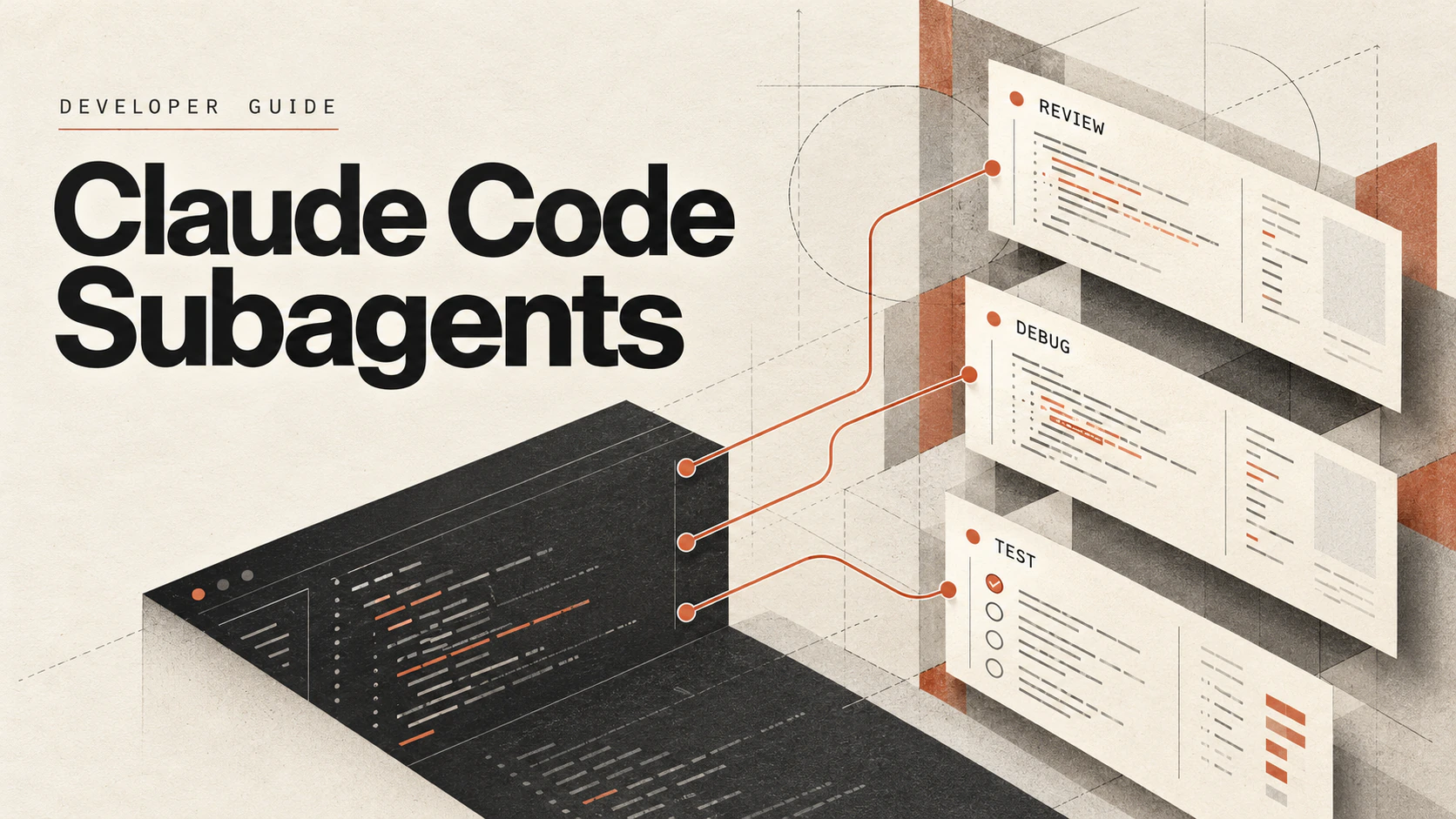
Suppose you need to find where a settings flag is read before changing a CLI command. A search can produce dozens of matches and file excerpts that the main conversation does not need for the edit. A Claude Code subagent runs that investigation in a separate context window and sends back a final report. Give it a narrow task and a short return format, and you can keep the detailed search output out of the conversation where you are making decisions.
You define a custom subagent as a Markdown file with YAML frontmatter: a description for routing, optional tool and model settings, and a body containing its instructions. This guide is based on Anthropic's subagents documentation, checked on 26 October 2026. The four templates below are configurations to adapt, rather than results from a benchmark or an executed coding task.
name and description are required. Save project subagents in .claude/agents/; save personal ones in ~/.claude/agents/.claude --agent <name>.tools as an allowlist, disallowedTools as a denylist, and permissionMode when the inherited permission behavior is wrong.| Agent | Documented role | Tool boundary |
|---|---|---|
Explore | Find files, search code and explain a codebase | Read-only; Write and Edit denied |
Plan | Research before a plan in plan mode | Read-only; Write and Edit denied |
general-purpose | Work through a task needing exploration and action | All tools available to subagents, subject to permissions |
Explore and Plan skip CLAUDE.md files and the git status snapshot. Most other built-in and custom subagents load the applicable CLAUDE.md hierarchy and, in a Git repository with the snapshot enabled, git status. If a custom definition sets omitClaudeMd: true on v2.1.271 or later, user, project and local CLAUDE.md files are omitted; managed policy still loads unless the definition itself comes from managed settings. The memory locations guide explains the instruction hierarchy; Anthropic documents the subagent-specific exceptions under what loads at startup.
Use the built-ins before adding a custom file. Do not assume Explore always uses Haiku: its model follows the current documented rules, including connection-dependent behavior when the main conversation uses Fable.
Use the main conversation for a quick targeted change, frequent back-and-forth, or work that depends heavily on the context already gathered. A fresh subagent has to rediscover material that is not included in its task message. That extra step can add latency without helping a one-file edit.
A subagent is useful when an independent investigation produces verbose output, when a specialist needs narrower tool access, or when a task can finish with a compact report. Any one of those reasons can justify delegation. A long test run may benefit from isolation even if it needs no special system prompt.
The task message matters. A non-fork subagent does not receive the main conversation's history, previously invoked skills, or previously read file contents. Send the failing command, relevant paths and the question to resolve. A conversation fork is the exception: it inherits the parent's system prompt, tools, model and message history. Choose a fork when explaining the accumulated background would cost more than sharing it; its own subsequent tool output still stays in its context until it reports back.
If you are deciding whether the problem needs reusable instructions, an external tool, or a separate context, use the guide to skills, hooks, subagents and MCP.
Save project subagents in .claude/agents/ inside your repository and check them into version control so your team shares them. Save personal subagents in ~/.claude/agents/ to use them in every project on your machine. When two subagents share a name, the higher-priority location wins, and project beats personal.
Claude Code discovers project subagents by walking up from the current working directory to the repository root, and when nested folders define the same name, the definition closest to the working directory wins. Claude Code scans both .claude/agents/ and ~/.claude/agents/ recursively, so subfolders are allowed. Identity comes only from the name frontmatter field: the subdirectory path and the filename do not identify a non-plugin subagent. The full scope priority order is managed settings, the --agents session flag, project, personal, then plugin definitions. The two rows below are the locations most authors choose between.
| Location | Scope | How it is shared | Use it for |
|---|---|---|---|
.claude/agents/ in your repository | Every clone of that one project | Check the file into version control with the code it serves | A reviewer, debugger, or test runner the whole team should run the same way |
~/.claude/agents/ in your home directory | Every project on your machine | Copy or sync the file yourself; no repository carries it | A personal specialist you want available outside any single repository |
Default to the project row for team-shared work: the file travels with the repository, so a teammate gets the same subagent when they clone. Keep the personal row for specialists that only make sense on your machine.
Edits in already-watched directories are detected within seconds. Restart after creating a scope's first agents directory, and after changing an agent under a directory added through --add-dir. Sessions started with --disable-slash-commands do not watch these directories. If agent and skill folders are getting mixed up, the skill installation and file-path reference explains their different layouts.
A subagent file is YAML frontmatter followed by a Markdown system prompt. Only two frontmatter fields are required: name, the unique identifier, and description, which tells Claude when to delegate. Add tools to restrict what it can call and model to choose its model. A file missing name or description is skipped.
The file body supplies the subagent's system prompt, alongside environment details. It does not receive the main Claude Code system prompt. Repository instructions and explicitly preloaded skills can also contribute context, as described above. Put task-specific evidence in the delegation message; a fresh subagent cannot recover it from your conversation history.
For project and personal files, start the file with --- and include both required fields. Claude Code skips malformed YAML, missing required fields, and names that start with -, contain :, or exceed 256 characters. An unrecognized field is ignored rather than applied. Check these details when a file does not load; the file-loading reference explains the debug-log messages.
| Field | Required | What it controls | First-subagent advice |
|---|---|---|---|
name | Yes | The identifier Claude and you use to refer to this subagent | Keep it unique, with no colon |
description | Yes | The text Claude matches against a task when deciding to delegate | Name the one job and when to use it |
tools | No | Tools the subagent may call | List only the tools the one job needs |
model | No | Which model the subagent runs on | Start with inherit |
Start with these fields. Add options such as skills, memory, mcpServers or isolation only when the job calls for them; version requirements differ. The frontmatter reference lists the supported settings.
Descriptions also have a collective budget. Claude Code shows a startup warning when combined custom subagent descriptions exceed 15,000 tokens, and routing turns on these descriptions, so keep each one short and move detail into the system prompt, which loads only when that subagent runs.
This scout locates code and reports paths. Its allowlist contains file-reading and search tools, with no shell, file-editing or MCP tools. The annotated definition separates its routing description, tool access and report instructions.

Save this file as .claude/agents/codebase-scout.md.
---
name: codebase-scout
description: Finds where a named behaviour, setting, or error message lives in this codebase and reports file paths with a one-line reason for each. Use when you need to locate code before changing it, not to change it.
tools: Read, Grep, Glob
model: inherit
---

You are a codebase scout. You locate code. You do not change it.

When invoked:
1. Search for the behaviour, setting, or error message named in the task.
2. Follow references until you reach the file that owns the behaviour, not only the files that mention it.

Return only:
- Each relevant file path
- One line per path stating what that file owns
- The single most likely starting file, named first

Do not paste file contents. Do not propose edits.
The Read, Grep, Glob allowlist removes the editing and shell paths available to a broader agent. The prompt separately asks for paths and one-line reasons. These do different jobs: the allowlist limits capabilities; the prompt controls the desired report. A verbose final report can still consume the parent's context.
After saving, type @, choose codebase-scout, and ask which file reads a setting in your own repository. Check whether the returned paths exist and whether the nominated file owns the behavior. No particular filename or result is promised by this example.
There are three documented invocation patterns:
| Pattern | Example | What it does |
|---|---|---|
Natural language | Use the codebase-scout subagent to locate the flag reader | Steers delegation; Claude still decides whether to delegate |
@-mention | Type @ and choose the agent, or type @agent-codebase-scout | Selects that subagent for the task |
Session-wide selection | claude --agent codebase-scout | Runs the main session with that definition's prompt, tools and model |
An @-mention controls which subagent runs, rather than passing your message through verbatim. Claude still composes the delegation prompt. Include the actual question and constraints in the message. For a project-wide default, the agent key in .claude/settings.json selects the session agent; the CLI flag overrides it. The plural --agents flag supplies definitions and serves a different purpose.
Current Claude Code documentation says subagents spawned from the main conversation start in the background. Foreground subagents block the conversation until completion; background subagents let you keep working. Both can surface permission prompts in the main session. A background subagent keeps MCP tools, subject to its configured tool restrictions and permissions, but receives a smaller built-in tool set. Forks and resumed foreground agents have documented exceptions.
In interactive terminal, VS Code and desktop sessions with fork mode enabled, Claude cannot choose to wait. To enable waiting, set CLAUDE_CODE_FORK_SUBAGENT to 0, start a new session, then ask Claude to run the agent and wait for its report. Fork mode is on by default from v2.1.302, and in interactive terminals from v2.1.232. Alternatively, CLAUDE_CODE_DISABLE_BACKGROUND_TASKS=1 forces waiting for every subagent and disables background commands too. In claude -p and the Agent SDK, Claude can choose to wait. Check the foreground/background instructions against your installed version before relying on a particular scheduling behavior.
A background subagent works inside the current session. A separate background coding session is a different unit of work with its own session lifecycle; the two should not be treated as interchangeable.
Each example below is a complete file: save it under the stated name in .claude/agents/, then invoke it with the prompt shown. The reviewer keeps Bash for git diff, the debugger can edit, and the test runner requests a compact failure report. Their prompts specify behavior; their tool lists determine available capabilities.
Save as .claude/agents/code-reviewer.md. This worked example is distinct from the template above: the template scouts with no shell at all, while this reviewer deliberately keeps Bash for one job, reading the diff.
---
name: code-reviewer
description: Reviews code changes for bugs, style issues, and best practices. Use proactively after writing or modifying code, or when the user asks for a review.
tools: Read, Grep, Glob, Bash
model: inherit
---

You are a senior code reviewer. Do not modify files or run fixes. When invoked:

1. Run git diff to see recent changes.
2. Focus on the modified files from that diff.
3. Begin the review immediately.

Provide feedback organised by priority:
- Critical issues (must fix)
- Warnings (should fix)
- Suggestions (consider improving)

Include a specific example of how to fix each issue you raise.
Invoke it by typing @ and choosing code-reviewer, or by typing @agent-code-reviewer, followed by a request to review your recent changes. In the output, check the priority list and start with Critical issues. State the limit plainly to anyone who reuses this file: it excludes Edit and Write, but Bash is not read-only by itself, because shell access can change files. A strict read-only variant drops Bash from tools and gives up the git diff step. The tool list and priority output follow Anthropic's subagents documentation. If your real job is pull-request review across a team rather than a local diff, compare the dedicated tooling in AI code review tools before building more local reviewers.
The scenario this file is shaped for is specific: a test fails intermittently, or an error appears in a run you cannot yet trigger on demand. A generic debugging loop fails here by editing toward a plausible cause. This file refuses that order. Until a reproduction exists, there is nothing to fix, only places to look.
Save as .claude/agents/debugger.md.
---
name: debugger
description: Debugging specialist for errors, test failures, and unexpected behaviour. Use proactively when encountering any issues.
tools: Read, Edit, Bash, Grep, Glob
---

You are a debugger. You find the root cause before you change code.

When invoked:
1. Capture the error message and any stack trace.
2. Write down reproduction steps. Do not edit any file until a reproduction exists: a failing test, a command that errors, or a stated sequence that triggers the fault.
3. Isolate the smallest location that explains the reproduction.
4. Apply the smallest fix that makes the reproduction pass. Edit only files implicated by the reproduction. Do not refactor unrelated code in the same run.
5. Re-run the reproduction and report whether it now passes.

For each issue, provide:
- The root cause explanation
- The evidence supporting the diagnosis
- The specific code fix
- Whether the reproduction passes after the fix

Focus on fixing the underlying issue, not the symptom.
Invoke it by typing @ and choosing debugger, or by typing @agent-debugger, followed by the error you hit. In the output, check the root cause explanation and whether the reproduction gate held: a debugger that edits before it can reproduce the fault is guessing. Edit is included because this role may change code. The reproduction gate and bounded scope are instructions in this authored example, rather than guarantees enforced by the tool allowlist.
Contrast this with running the suite in the main conversation. Passing output can occupy context you need for the next change. This file requests failure details and observed totals rather than raw logs. Review the returned report: a prompt describes the desired output, but does not enforce its length.
Save as .claude/agents/test-runner.md.
---
name: test-runner
description: Runs the project test suite and reports failing tests with error messages, totals when the runner prints them, and the likely owning file. Use proactively after code changes, or when the user asks to run or check tests.
tools: Bash, Read, Grep
model: inherit
---

You are a test triage specialist. When invoked:

1. Read the repository instructions and test configuration to identify the documented test command. If none is documented, return that blocker so the main conversation can ask the user. Do not invent a command.
2. Run the documented command without adding fix, update-snapshot, or install flags.
3. Wait for the run to finish. Do not paste raw passing output into your report.
4. For each failing test, extract the test name, the error message, and the file that most likely owns the failure.

Return only:
- The failing test names
- The error message for each failure
- The likely owning file for each failure
- A one-line summary of total tests run, passed, and failed, if the runner prints those totals

Do not edit source files or attempt fixes. Normal test caches and artifacts may be written by the test command. Do not return raw logs.
Invoke it with @agent-test-runner and request the repository's documented suite. Match reported totals to the command output when you inspect its transcript. The allowlist includes Bash, so this is not a read-only role: tests can write caches or artifacts, and a misconfigured script can do more. Review the command before granting access. model: inherit keeps the first run on the session's model; choosing another model is a separate decision.
Choose by where the work runs and who starts it. If the method is reusable but the context should stay shared, write a skill. If the context itself is the problem, write a subagent.
A subagent runs work in a separate context. A skill packages a reusable method that normally runs in the current conversation. They compose: a subagent can preload named skills through its skills field, while a skill with context: fork runs in a fresh subagent. Despite its name, a forked skill does not inherit conversation history. Anthropic documents that distinction in running skills in a subagent.
| Mechanism | Where it runs | How it starts | Pick it when |
|---|---|---|---|
Main agent | In your shared conversation, with its full history | By default, with no setup | The task needs back-and-forth or context you have already built |
Subagent | In a separate context window | Automatic delegation, naming it, an @-mention, or --agent | A side task needs isolation, its own prompt, or restricted tools |
Skill | In your main conversation, unless forked into a subagent | Claude loads it when relevant, or you invoke /skill-name | A method recurs but the shared context should stay |
Slash command | In your main conversation | You deliberately type /command-name to run the skill or custom command manually | A human, not Claude, should decide when the method runs |
Slash invocation is a trigger for a skill or custom command, rather than another kind of worker. Check the skill's configuration to see whether it runs in the conversation or delegates to a subagent.
Use model: inherit when the first run should use the main conversation's model. Omitting model is different: an environment default may select another model. The current resolution order is:
model field.CLAUDE_CODE_SUBAGENT_MODEL, if set.The definition accepts sonnet, opus, haiku, fable, a full model ID, or inherit. Actual availability depends on the provider and organization settings. Before v2.1.251, the environment variable came first. On v2.1.257 or later, CLAUDE_CODE_SUBAGENT_MODEL_FORCE=1 can enforce a model across subagents; conversation forks remain on the parent's model. Check forced-model behavior if a definition does not appear to take effect.
Subagents send their own requests and count toward the same usage limits as the main conversation. Routing a bounded job to a less expensive model may reduce its model cost, but extra setup, retries and verbose reports can offset that. Context isolation alone does not establish a saving.
Start with tools. It is an allowlist: Read, Grep, Glob gives the scout reading and search tools without shell or edit tools. Omitting the field inherits the available subagent tool pool. disallowedTools subtracts tools; when both fields are present, the denylist is applied first and a tool named in both is removed.
Removing Edit and Write does not make an agent read-only when Bash remains. A prompt saying “do not edit” is guidance; shell access still provides ways to change files. Likewise, a separate context window does not create a separate filesystem. A normal subagent starts in the current working directory. Set isolation: worktree when separate repository changes are needed, and review the resulting diff before integrating it.
Tool access also differs from approval behavior. permissionMode inherits the parent's mode when omitted, and parent-mode rules can override a value in the definition. For example, a main session in acceptEdits, auto or bypassPermissions makes its subagent run in the same mode. The coding agent permissions guide explains the separate file, shell, network and approval boundaries.
Read access still exposes file contents to the agent. The scout's tool list is not a confidentiality policy; keep credentials out of repositories and apply appropriate file-access controls. The secrets and environment-variable guide covers that setup. If the job needs an MCP tool, check the actual server configuration and allowed operations using the MCP configuration locations reference before widening the allowlist.
Plugin definitions have another limitation: their hooks, mcpServers and permissionMode fields are ignored. A copied project file and an installed plugin definition can therefore behave differently. To prevent a particular agent from being used at all, settings can deny Agent(<name>); denying Agent blocks delegation through that tool.
Separate loading failures from routing failures. If the agent is absent from the picker, inspect discovery and frontmatter. If it appears but is not selected automatically, inspect the description and try an explicit mention. If it runs with an unexpected model or permission mode, check the overrides described above.
The table separates problems that need different checks. Duplicate names within one directory tree load only one definition, chosen by filesystem read order; nested project directories instead use the nearest definition. A restart is needed when a scope's first file creates a new agents directory.
| Symptom | Cause to check | Fix | Verify by |
|---|---|---|---|
Claude does not delegate automatically | The description does not match, or Claude chooses to handle the task itself | Make the job and trigger specific; use an explicit mention when selection matters | Confirming the named agent runs, then checking automatic selection separately |
My subagent file is not found or not loaded | A required field is missing, --- is not the first line, the name starts with -, contains :, exceeds 256 characters, or the YAML does not parse | Correct the frontmatter so name and description are present and the YAML parses | Restarting Claude Code, then typing @ and choosing the named subagent |
A new agents folder is ignored | The first file in a new scope is not detected until a restart | Restart Claude Code once after creating the folder | Typing @ and confirming the named subagent can be chosen |
Two files define the same name | Only one file loads from a directory tree, chosen by filesystem read order | Rename one definition to a unique name | Running /doctor to confirm the duplicate report is clear |
The subagent floods my main context | The requested report is too broad, missing, or not followed | Narrow the task and specify the exact report fields | Inspecting the actual report rather than assuming the prompt enforced brevity |
Change one field at a time and re-invoke by @-mention, so each fix is attributable to the change that produced it.
Read a downloaded definition before running it. Check the tool list, any hooks, attached MCP servers and permission settings. An impressive role description does not justify shell or external-system access. Prefer one file with a job you understand over installing a collection of overlapping roles.
For a first inspection, narrow the file to reading and search tools. Check that it loads, invoke it on a non-sensitive task, and inspect the report. Add editing, shell or integration access only for a concrete requirement. This is an evaluation procedure, rather than an endorsement of any collection.
A Claude Code subagent handles a delegated task in a separate context window with its own prompt and configured tools. Session permission rules still apply. Its final report returns to the main conversation. For a custom project or personal subagent, you save a Markdown definition with YAML frontmatter.
Save a Markdown file in .claude/agents/ for one project, or ~/.claude/agents/ for every project, with name and description in YAML frontmatter and the system prompt in the body. Add a tools list only to restrict what it may call. Then invoke it once by @-mention to prove it loads.
Project subagents are stored in .claude/agents/ inside your repository and can be checked into version control so a team shares them. Personal subagents are stored in ~/.claude/agents/ and apply to every project on your machine. When names collide, the higher-priority location wins, and project beats personal.
A subagent runs in a separate context window with its own system prompt and returns a summary to the main conversation. A skill packages a reusable method that runs in your main conversation unless it is forked into a subagent. They compose both ways: subagents can preload skills, and skills can run inside subagents.
Write a specific description that names the one job and its trigger, and add the words "use proactively" to encourage delegation. Naming the subagent in a prompt only steers Claude, whose choice it remains. To guarantee a run for one task, type @ and choose the subagent, or type @agent-<name>.
Start with inherit to evaluate the definition on the session model. Omitting the field can use an environment default instead. Change models after checking the report on representative tasks, and check provider availability and forced-model settings. A cheaper model does not guarantee a cheaper completed workflow.
Yes. Edit and Write provide direct file editing, and Bash can also change files. Removing Edit and Write alone does not create a read-only agent. For reading and search only, exclude shell, editing and mutating MCP tools from the allowlist; omitting tools inherits available tools.
Use the three complete examples in this guide: .claude/agents/code-reviewer.md, .claude/agents/debugger.md, and .claude/agents/test-runner.md, each saveable as printed and invoked by @-mention. For any file found elsewhere, audit tools, hooks, mcpServers, and permissionMode before it runs. No external repository is endorsed here.
Use a built-in agent for the first investigation. If the same constrained job keeps recurring, save a definition with a specific description, the smallest useful tool list and explicit report fields. Test whether the file loads, whether the tools match the intended access, and whether the returned evidence answers the task.
That check is more useful than adding more roles. A missing agent needs a discovery check; an overpowered agent needs a narrower capability boundary; a noisy report needs a clearer return format. Treat model selection and background scheduling as separate settings, and recheck their version-specific behavior when upgrading Claude Code.